Every time you open a phone app, the thing you dread is those few seconds of splash ad.
A slight slip of the finger, or a slight tilt of the phone, and you're thrown into a shopping app. Aubzhang is done with it. The ad-skipping tools on the market are either dead (no updates for years) or quietly demanding all kinds of privacy permissions. So Aubzhang got angry and decided to build his own.
While he's at it, let friends see what a real app looks like going from 0 to 1.
Don't assume building an app is a huge project. Aubzhang spent one day, burned 370 credits, used 19 prompts, and got AI to write him a purely local Android tool called "AubSkip."
1. A Product Manager's Floor: Research First, Draw the Red Lines
A dozen years in product, one hard belief: before any product starts, research is always step one, and the most important step.
So the first instruction Aubzhang gave AI wasn't "write me code." It was to act as a market researcher. Here's the actual hardcore prompt, copy it and use it:
【TASK TYPE】Pre-project market research for a new product. Read-only, output a document.
【PROJECT BACKGROUND】
We're starting from zero on an Android utility app: a splash-ad skip assistant (benchmark competitor: "Li Tiaotiao"). Before project kickoff and before the first line of code, we need the technical mechanics, the competitive landscape, and a clear MVP (minimum viable product) feature boundary.
【TASK GOAL】
Research this product and produce a rigorously structured Product Research Report. The report will be the basis for architecture design and development scheduling. Requirements:
1. Technical implementation
- Core mechanism: explain in detail how Android's AccessibilityService captures on-screen node information in real time, and how it triggers click actions in code.
- Concept definition: pin down the technical essence of this tool. Is it "intercepting the ad's network request," or "completing the click for the user after the ad appears"? Explain the pros and cons of each.
2. Competitive analysis (key benchmark: Li Tiaotiao)
- Rule-matching strategy: how do tools like Li Tiaotiao configure recognition rules? (Widget text, resource ID, fixed coordinates?)
- Technical limitations: where are these tools fragile? Why do rules need constant updates? Why do major app vendors block them, and how are they detected by the system or by big-company apps?
3. Product feature breakdown (MVP design proposal)
- Page architecture: which core pages must the first version have? (Permission onboarding page, main toggle page, rules/log viewer.)
- Feature convergence: to close the loop fast, which 1–2 core features should the first version implement? (E.g. match by keyword and click only.)
4. Delivery requirements
- Create a
调研报告folder in the current workspace and output the content as01-开屏广告跳过工具调研报告.md.- The report must be logically clear, objective, professional, with wording that meets software engineering standards.
【CONSTRAINTS】
- Write no substantive code for now. Do not create an Android project.
- Information gathering and document output only.
- When done, report the file path and core conclusions to me.
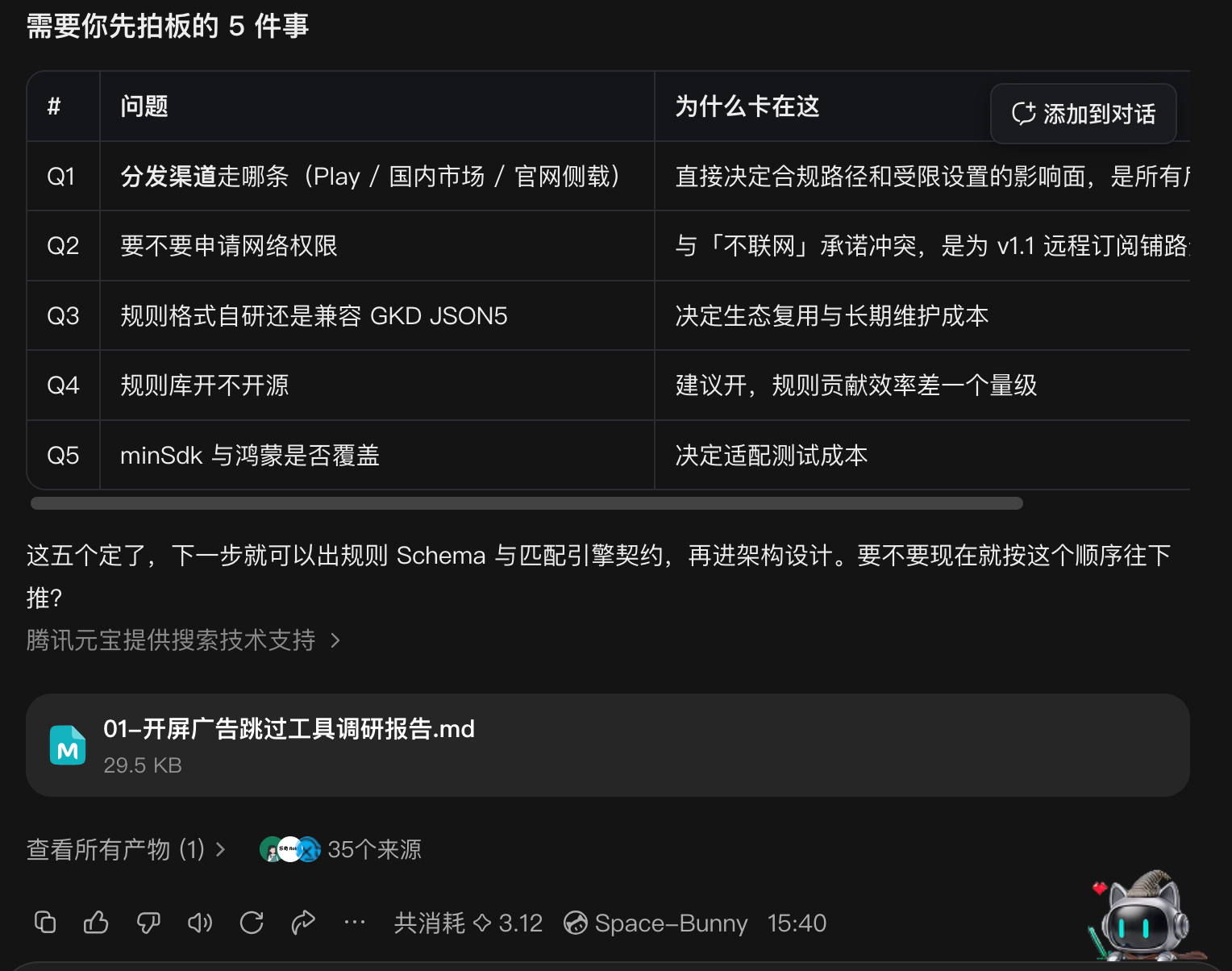
Based on that extremely detailed report, Aubzhang as product manager set a brutally restrained rule (the PRD): absolutely no network permission. Pure local operation. No possibility of quietly uploading data.
2. Watch the Magic: Code Becomes an App
With only 3 prompts (prompts 3–5), AI worked like a tireless foreman: built the UI, wrote the underlying accessibility service, and packaged a first APK.
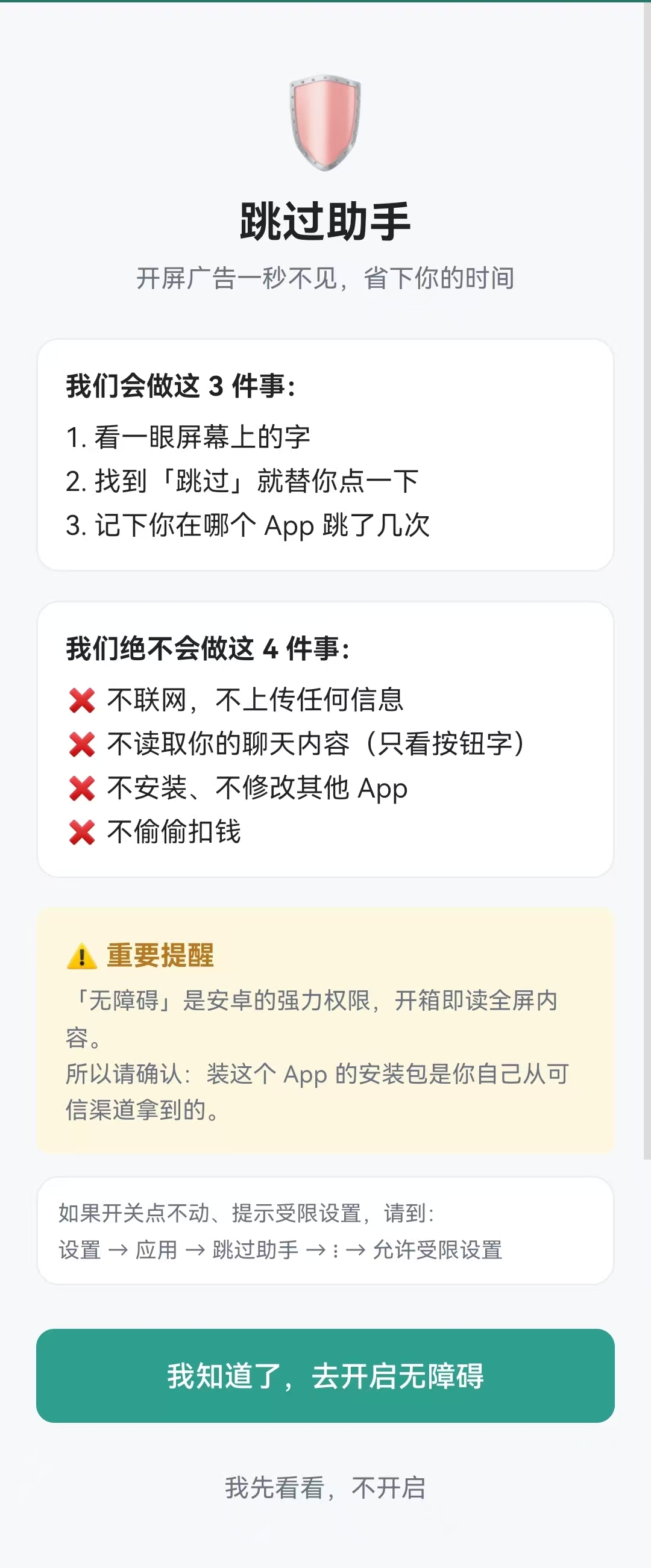
3. The Brutal Demining Phase: Going Head to Head with AI
Don't assume working code means you're done. The next 10 prompts (6–15) were almost entirely pit-filling. Aubzhang calls this part "the beating you take going from theory to reality."
1. Pit one: the cooldown flag that killed everything
During testing, ads that used to be skippable suddenly weren't. Half a day of digging: AI had set the anti-double-click cooldown flag too early. The ad hadn't loaded yet and the cooldown had already expired. By the time the real ad appeared, it was waved straight through. Aubzhang forced AI to move the flag to "after the target node is found," and the fatal bug died.
2. Pit two: rude foreground hijacking and collateral damage to livestreams
The cardinal sin for an assist tool is disturbing the user. During testing, Aubzhang opened Douyin and the blocker itself popped up over the screen. Worse: while watching a Douyin livestream, a comment scrolled by containing "skip," and AI clicked it — Aubzhang got kicked out of the room. He intervened fast, had AI introduce a whitelist and full-screen detection, so it works invisibly backstage.
3. Pit three: the disaster of not finding the accessibility entry
An absolutely lethal system pit. Once the Android system kills the background process, the accessibility service disconnects. But the system toggle is buried deep — an ordinary user can't find where to re-enable it. Without the toggle, the app is dead weight. Aubzhang had AI add a highly visible button inside the app that jumps straight to the system settings page.
4. Pit four: accepting an 80-point, imperfect product
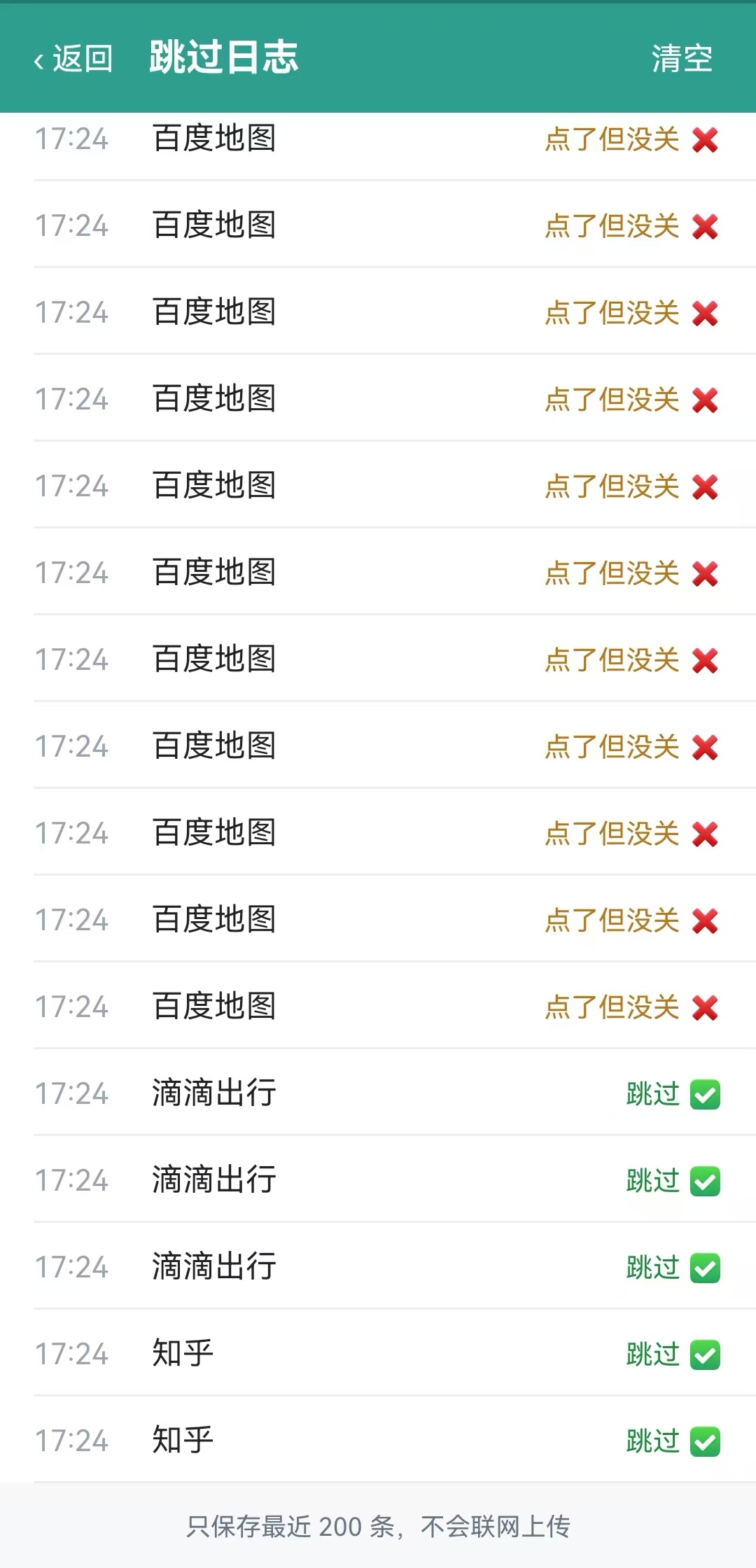
Some apps have stubborn ads and every anti-skip trick in the book. Aubzhang revised the rule files repeatedly and got the block rate above 80% for the apps people use daily. Aubzhang is a perfectionist, but this time he made peace with it: a product doesn't have to be absolutely perfect. AI isn't omnipotent either. If it solves the pain for most people most of the time, it's a valuable tool.
4. From "Works" to "Feels Good": Injecting Market Sense
The function was done, but the original interface had a thick smell of "programmer's raw code." Ugly from any angle.
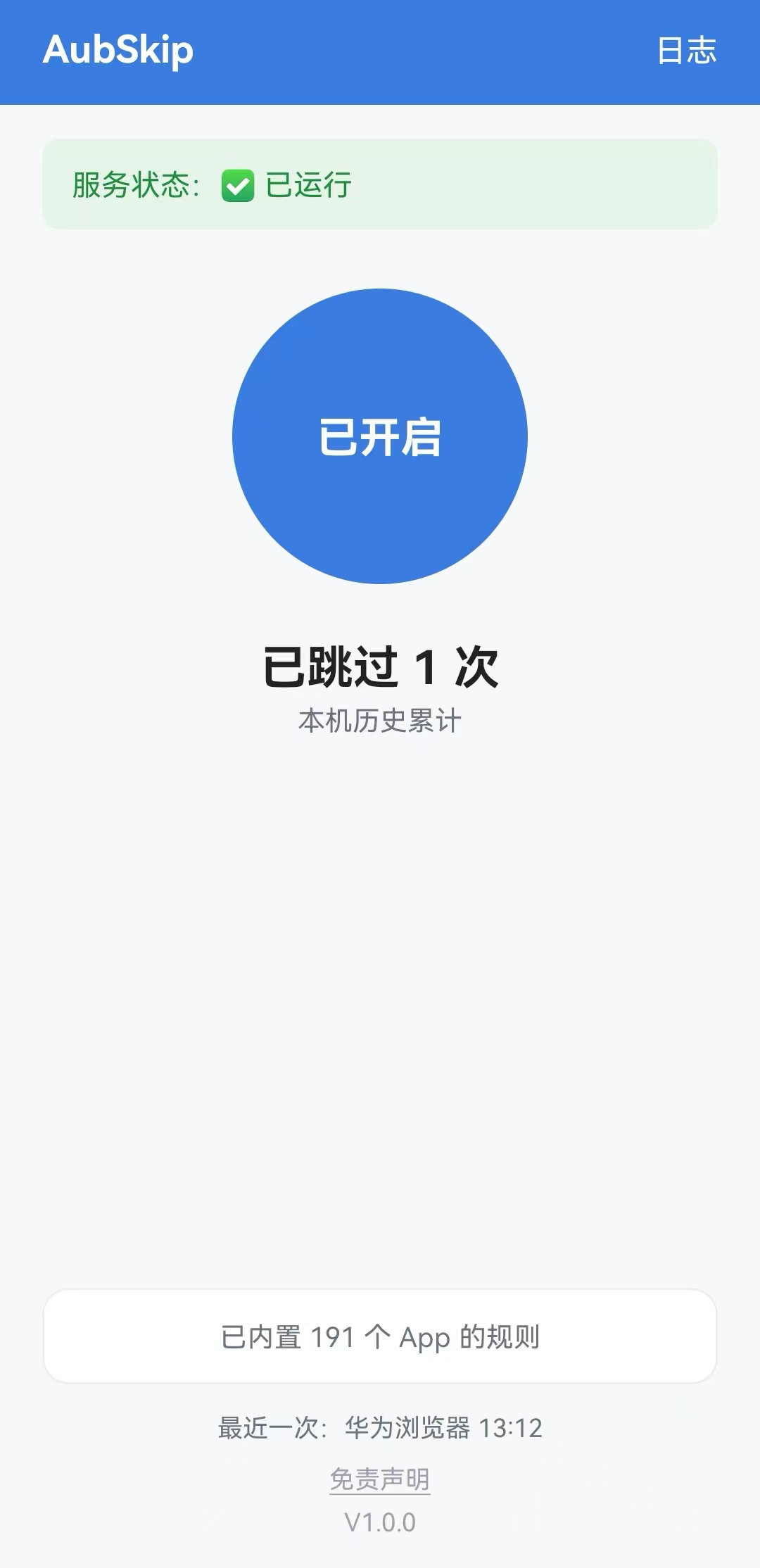
So Aubzhang switched hats from product manager to operations and started packaging (prompts 16–18). He had AI redesign a custom icon with Aubzhang's signature, and unified the interface into premium "AubSkip Blue" (Aubzhang Blue).
He also renamed the installer and stamped it V1.0.0. Working code is a passing grade. Making the user feel good while using it — that's a product's soul.

5. Wrapping Up: A Geek's Compulsion and Deposits
Shipping isn't the endpoint. With the last prompt (19), Aubzhang had AI archive every document, all source, and the key pit-avoidance lessons.
The post-project review and the keeping of materials — that's the real ladder of personal growth.
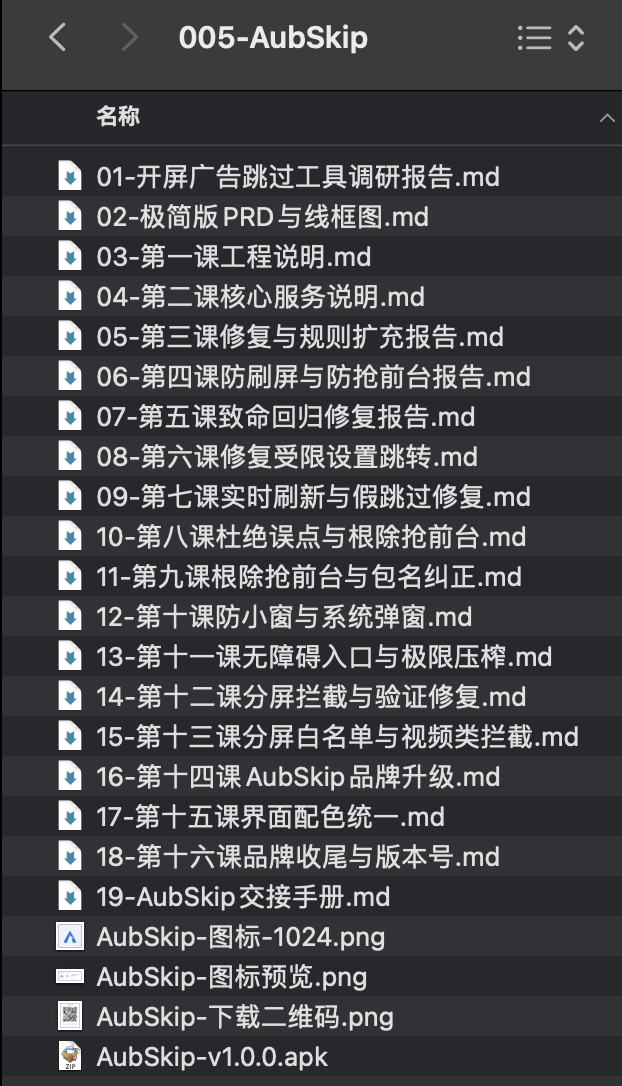
Final Thoughts: Product Dossier and Disclaimer
Aubzhang put this labor of love on his personal site aubzhang.com. Download opens Sunday, on time.
If you want out of splash-ad misery, remember the name: AubSkip
- What it is: an Android splash-ad skip tool built on the accessibility service.
- Core function: automatically detects and taps the "skip" button on splash ads across major apps, millisecond response.
- Biggest feature: absolutely zero permissions (no network), purely local, no popups, extremely light (3.6 MB).
- How to get it: open
aubzhang.comin a browser and download.
⚠️ Serious disclaimer:
This tool uses Android's AccessibilityService to assist with taps. It does not connect to the network, does not capture screen content, does not steal any private data. The code is open and visible, all rules are stored locally. By downloading and using it you are trusting Aubzhang as a plain craftsman. If you're not comfortable, please do not install it.
May your phone stay quiet from now on.