These two days Aubzhang has been grinding on the AubSkip upgrade. The feature was almost done when a cold line appeared on screen:
"Conversation length limit reached. Please start a new conversation."

Aubzhang's heart dropped. Anyone who has used AI on a big project knows that sentence is a nightmare. It means days of business background, pit records, and current engineering status vanish the moment the window closes.
In the past he'd have gritted his teeth, opened a new conversation, and typed the whole project background over again like a broken record, rebuilding rapport from scratch. Agony.
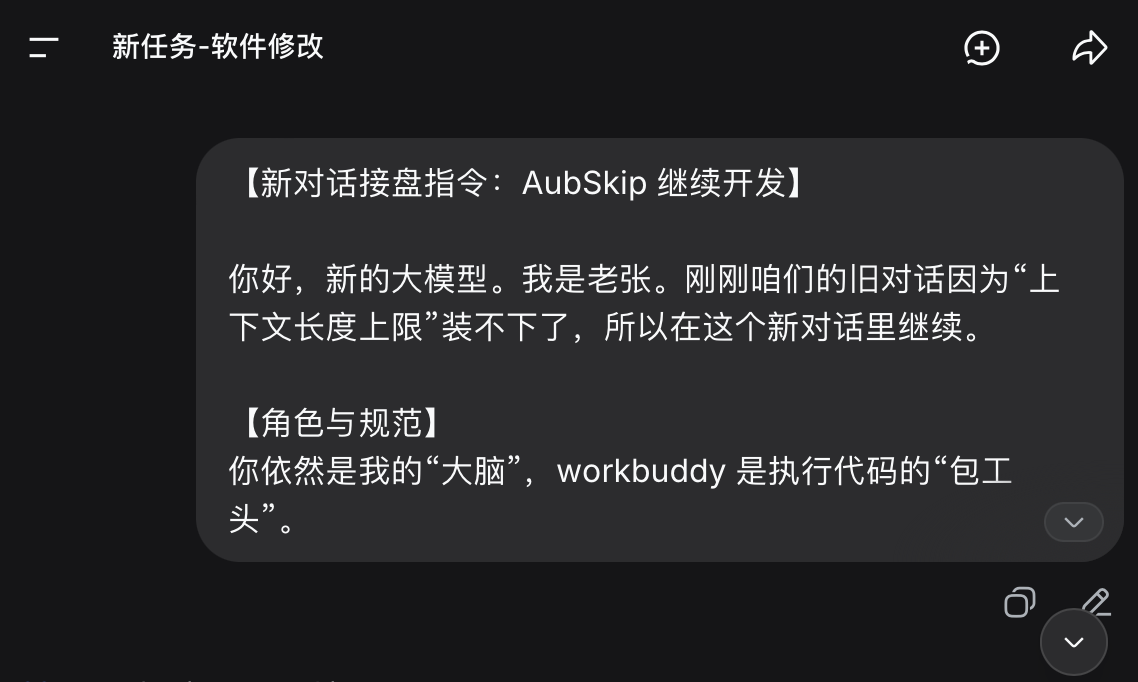
But this time he didn't panic. At the very end of the old conversation, he had the old AI write him a New Conversation Handover Prompt.
With that in hand, he opened a fresh window and sent it. The new AI slipped into the body instantly — not only taking over perfectly but immediately starting to direct WorkBuddy.
Today Aubzhang open-sources that AI Handover Guide.
1. What Goes Into a Handover Prompt?
Most people hand over by saying one line: "I want to continue that project from before." The new AI just stares at you.
Here's how Aubzhang writes it. The prompt rigorously applies the art of being the boss, split into three hardcore blocks:
1. Role and rules (set the law)
Start by fixing the role: "You are still my brain. WorkBuddy is the foreman who executes code."
Then slap the Five Iron Laws back on the table: align before acting, dry run before apply, always leave a rollback point, verify after writing to disk, sample-verify. And a hard requirement: no hands-on work during the discussion phase.
2. Current project state (come clean)
This is the most important block. It must state:
- What the project is: AubSkip v1.0.1.
- The life-or-death red line: the package name absolutely cannot change.
- Core logic: 6-second cooldown, split-screen whitelist, and so on.
- Current progress: he even pasted the old AI's very last line before it ended ("compilation is clean right now, the notification is parked"), and flagged that he wasn't sure the large-font dialog was finished.
- Asset archive: tell it exactly where the documents live.
3. Next task (assign work)
Leave no room for guessing. List steps 1, 2, 3, 4:
Check whether the logic in MainActivity.java is complete -> if not, finish it -> rebuild and issue a QR code -> remind Aubzhang to test on a real device.
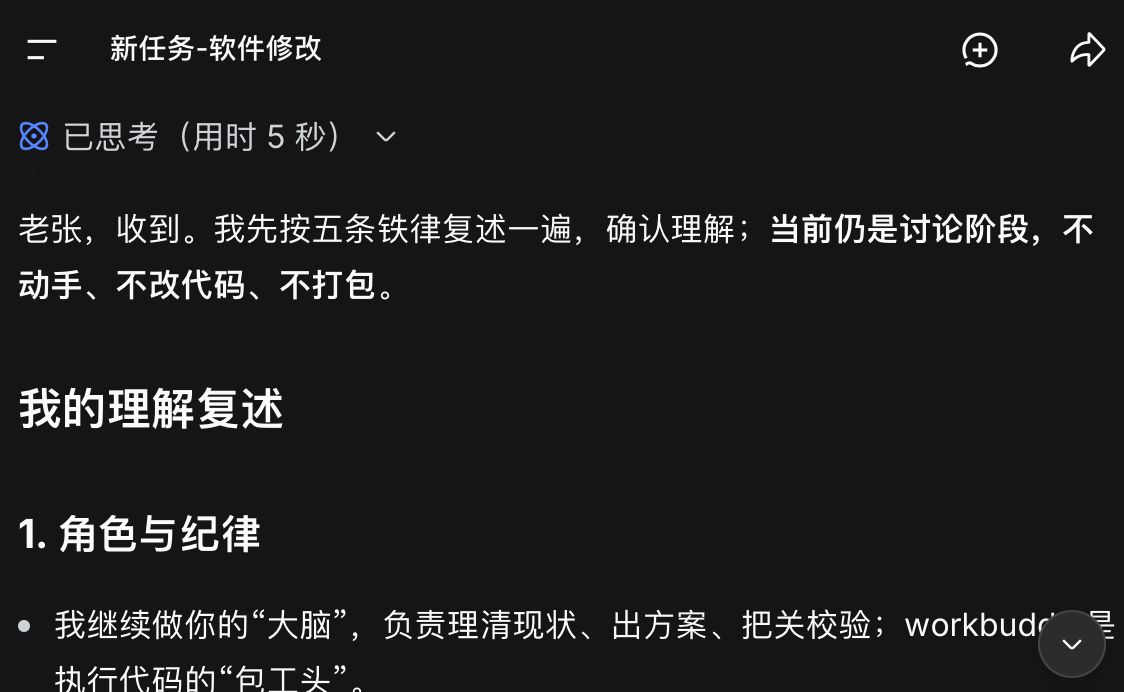
Look at the new AI's response. It immediately restated: "Understood. Let me restate the Five Iron Laws first… we're still in the discussion phase: no hands-on work, no code changes, no packaging." More reliable than a veteran employee.
2. Why Does This Prompt Work?
The principle is simple: you didn't make AI guess. You gave it enough context.
This is what Aubzhang keeps emphasizing. AI is not a wishing well. It's an extremely smart tool with no memory. Give it a vague title and you get a vague pile of code.
But lay out its boundaries, the discipline it must follow, and the real current state on the table, and it enters the role instantly and picks up seamlessly.
3. Final Thoughts
Through this "cyber handover," Aubzhang got it completely:
AI's context has a ceiling. Your project's context should not.
When running projects, always build the habit of depositing documents. Write the architecture, the progress, the pit records into text. Then whether your AI is DeepSeek, ChatGPT, or Claude, throw that handover prompt at it and it's ready to work for you.
Don't treat AI as a chatbot. Treat it as an outsourced team whose staff can rotate at any moment. And you are the chief product manager who always holds the whole picture.