A dozen years as a product manager left Aubzhang with an instinctive resistance to PPT.
Especially at the start of each year, doing career or business planning — to make the logic airtight and the layout decent, you'd usually lose a layer of skin staying up for it. Aubzhang had tried AI PPT tools before, and honestly held a bias: at best they're a fancy wrapper. Pick a pretty template, paste in the words you already wrote. The actual business logic still has to come from your own head.
These past few days Aubzhang was working through his 2026 business direction. On hand: a pile of physical-business operating data, plus data from a few product lines still in development. Total mess. He uses WorkBuddy for daily work anyway, so this time he just dumped the whole mess on it to see whether it could lend a hand.
It didn't play typist. It gave Aubzhang a brutal, first-rate lesson in business strategy.
1. Round One: AI Refused the Wishing-Well Order
Aubzhang typed a perfectly normal, everyday instruction:
"You are a senior consultant. Help me produce an outline and layout suggestions for a PPT titled '2026 Personal Career Plan.' About 10 pages, minimal business style."
Enter. Aubzhang expected a pile of outline text, standard issue.
Instead it didn't write anything. It threw back a question:
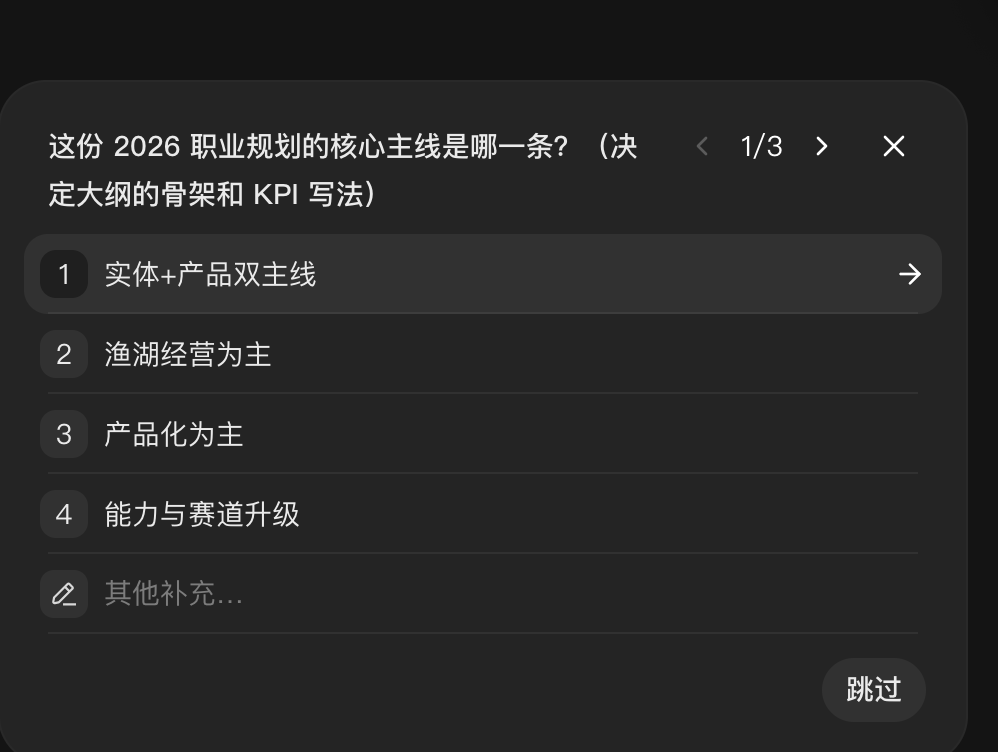
It asked: "What's the core throughline of this 2026 career plan? (This decides the skeleton of the outline and how the KPIs are written.)" The options listed: "Physical business + product, dual throughline," "Aquaculture operations as primary"…
Aubzhang blinked, picked "physical + product dual throughline." Then it hit him with three more questions, each one sharp:
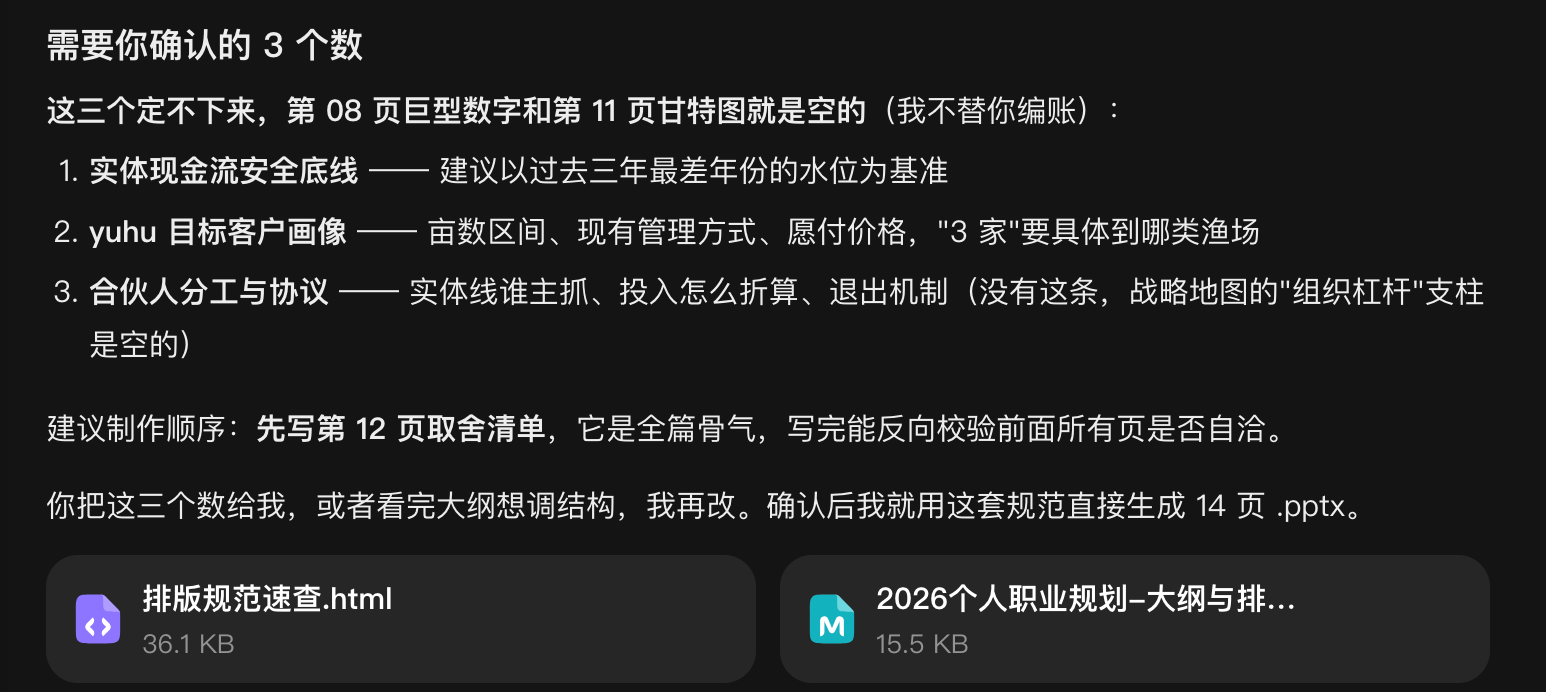
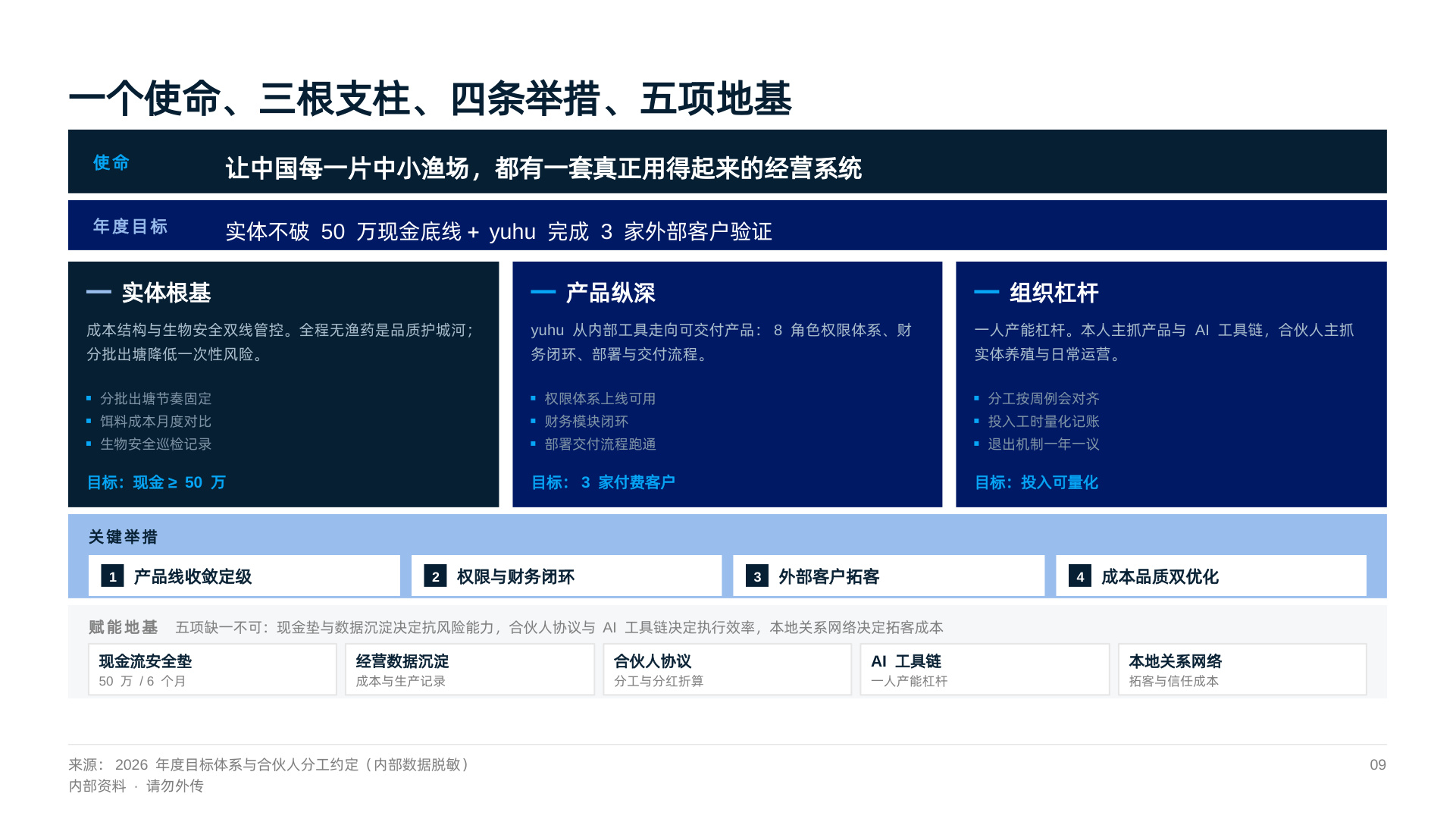
- "What is your cash-flow safety floor on the physical business?"
- "Who is the target customer profile for the yuhu system?"
- "What's the division-of-labor agreement with your partner?"
A dozen years a product manager, and it had always been Aubzhang holding the magnifying glass over the dev team. Today, an AI held the magnifying glass over Aubzhang's business floor. That's a first.
2. Round Two: It Treated Layout as Engineering
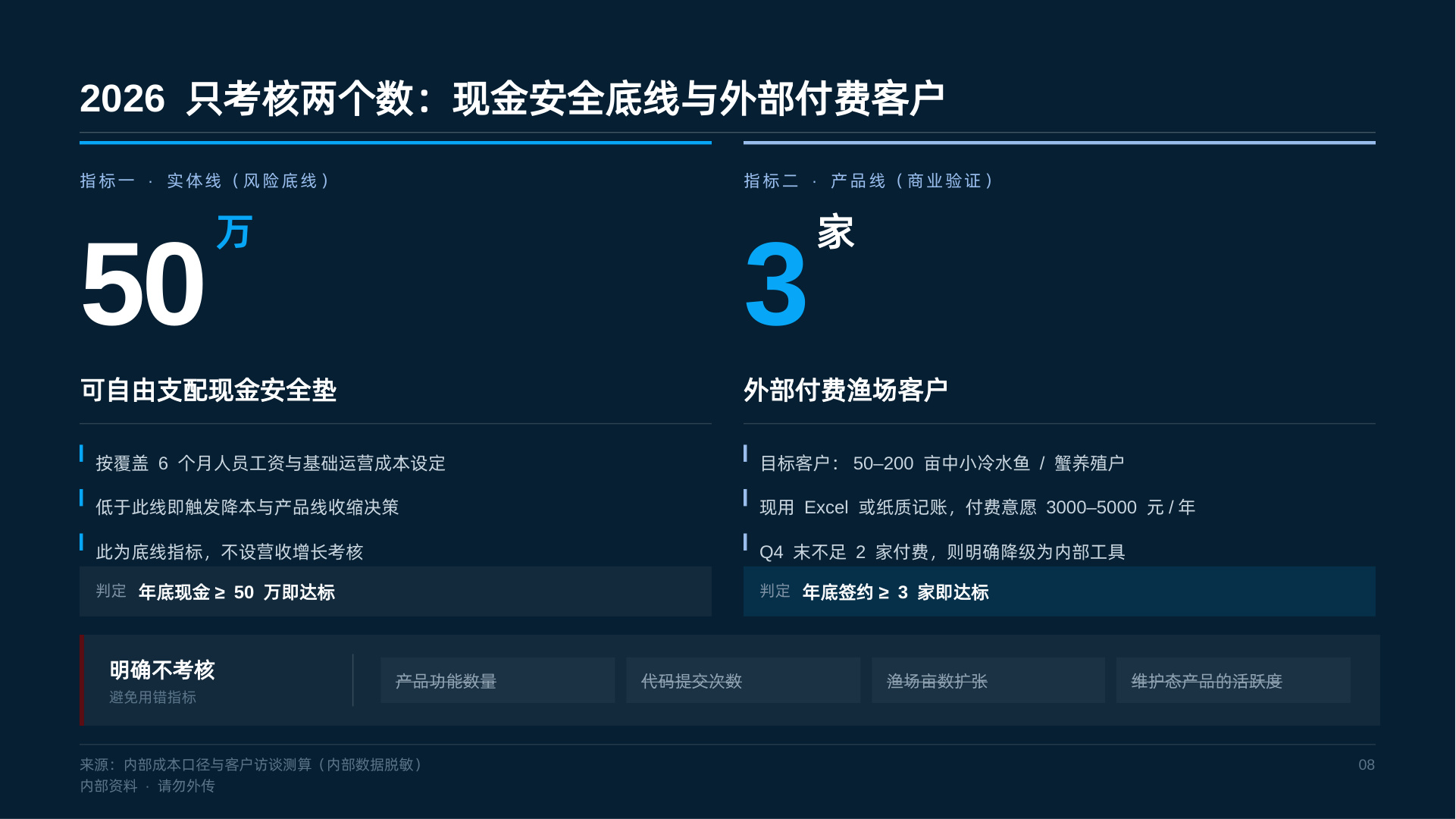
Aubzhang filled in the real business numbers (set the cash floor at 500k, for instance), then said: "Okay, give me the PPT."
He expected a garish template dropped on him. Instead it handed over a Layout Specification Quick Reference first:
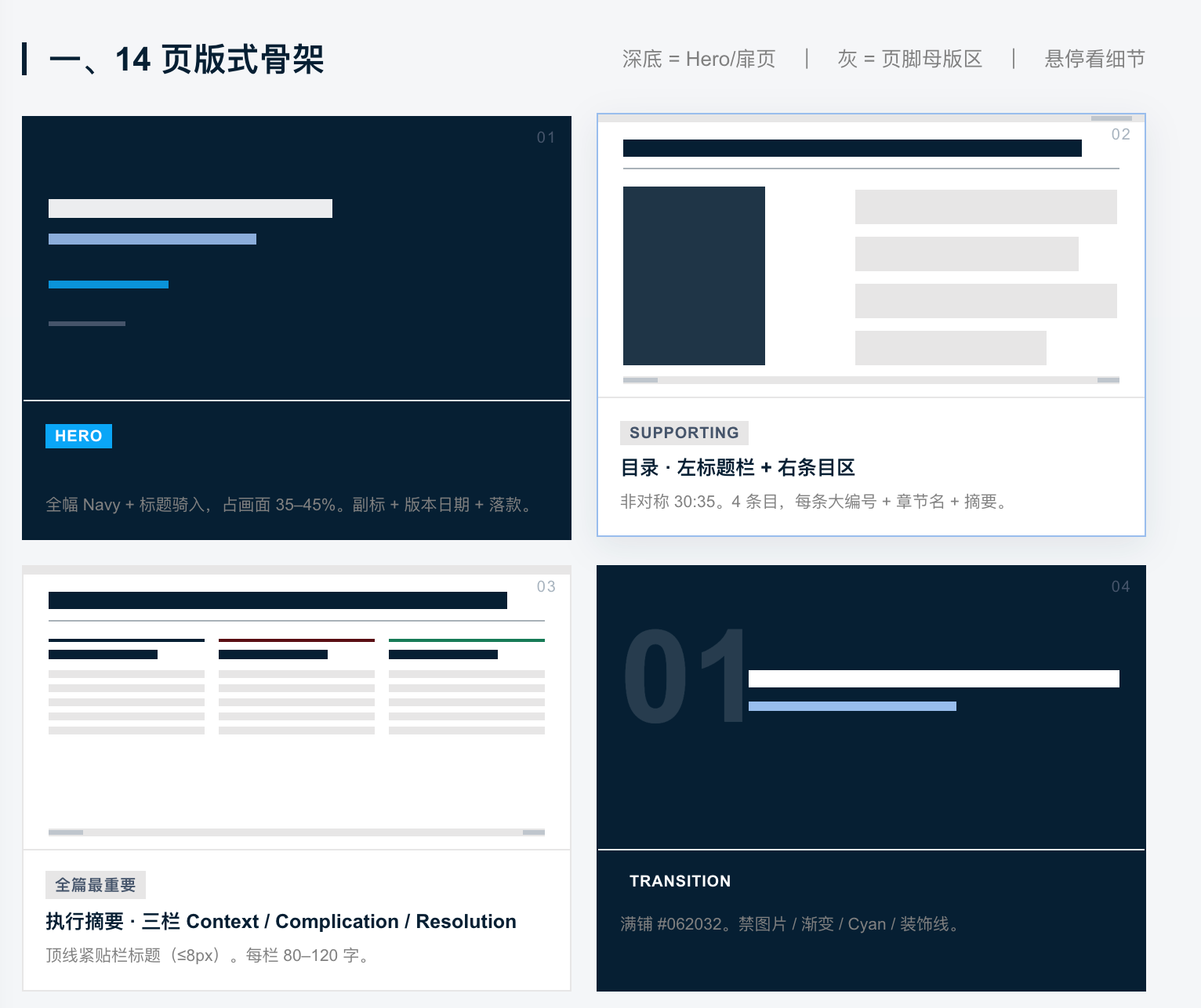
Packed with brutally strict engineering standards:
- "Canvas 1280×720"
- "Color pool: 4 colors only. Navy, royal blue, cyan, neutral gray."
- "China convention: red for up, green for down."
- "Hard minimum body text 22px. Text baked into SVG is forbidden."
Aubzhang was stunned. Back when he tuned PPTs himself, layout drifting all over the place was the biggest headache. Now AI nails the rules down at the foundation, and you only worry about content.
3. Round Three: Not Just Pages — Backbone
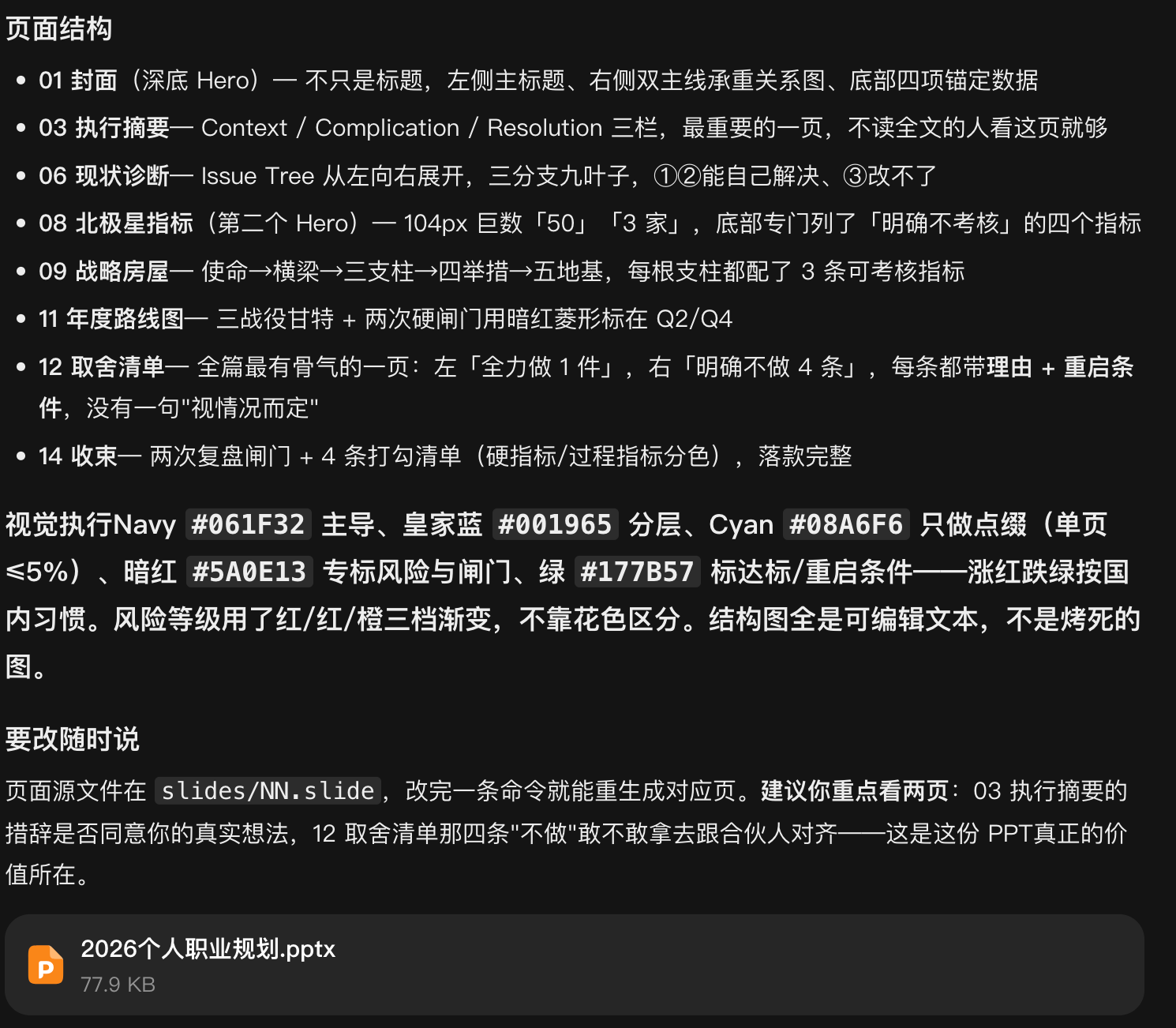
Ten-plus minutes later, a 77.9 KB .pptx file appeared directly in the chat.
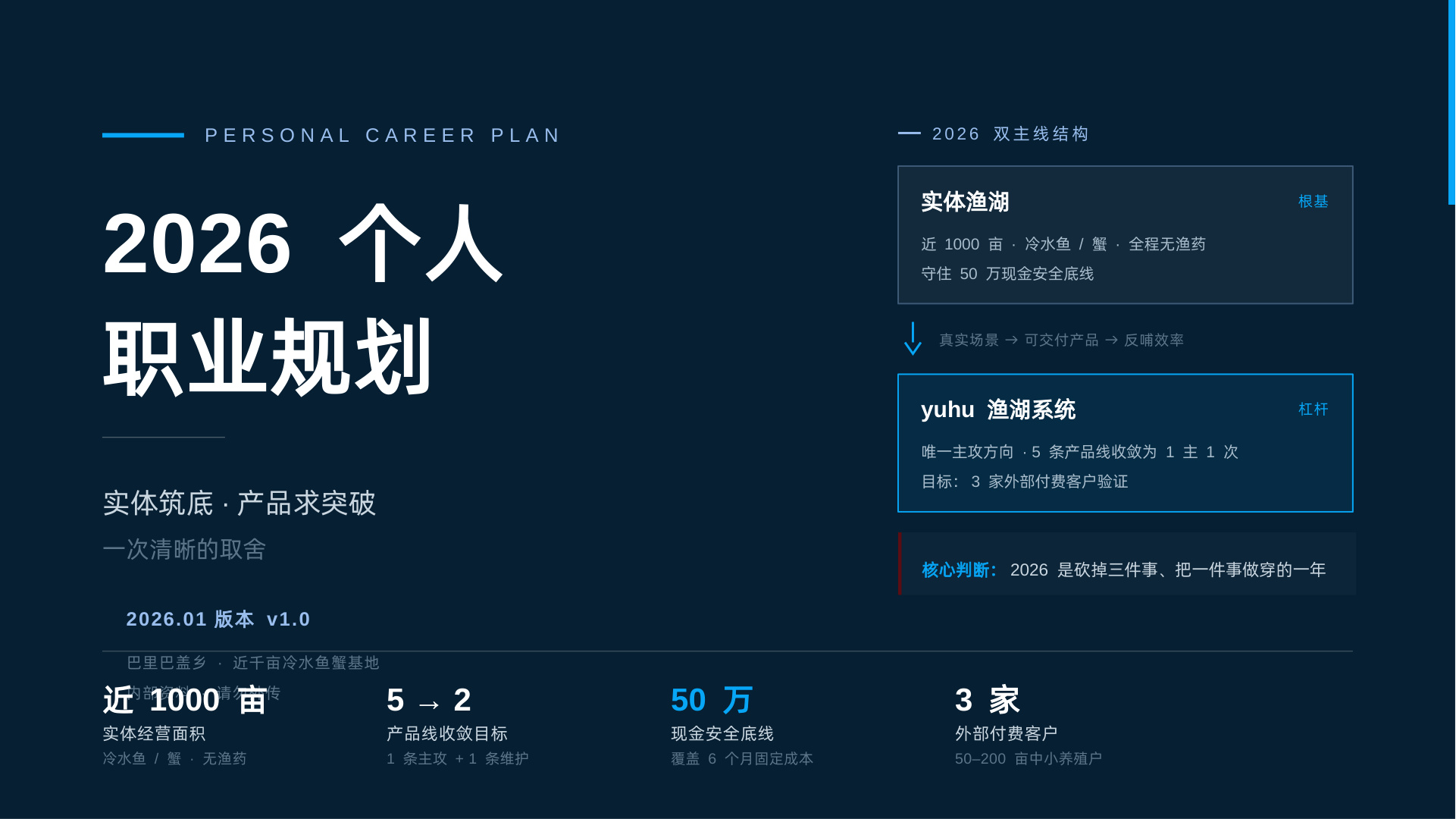
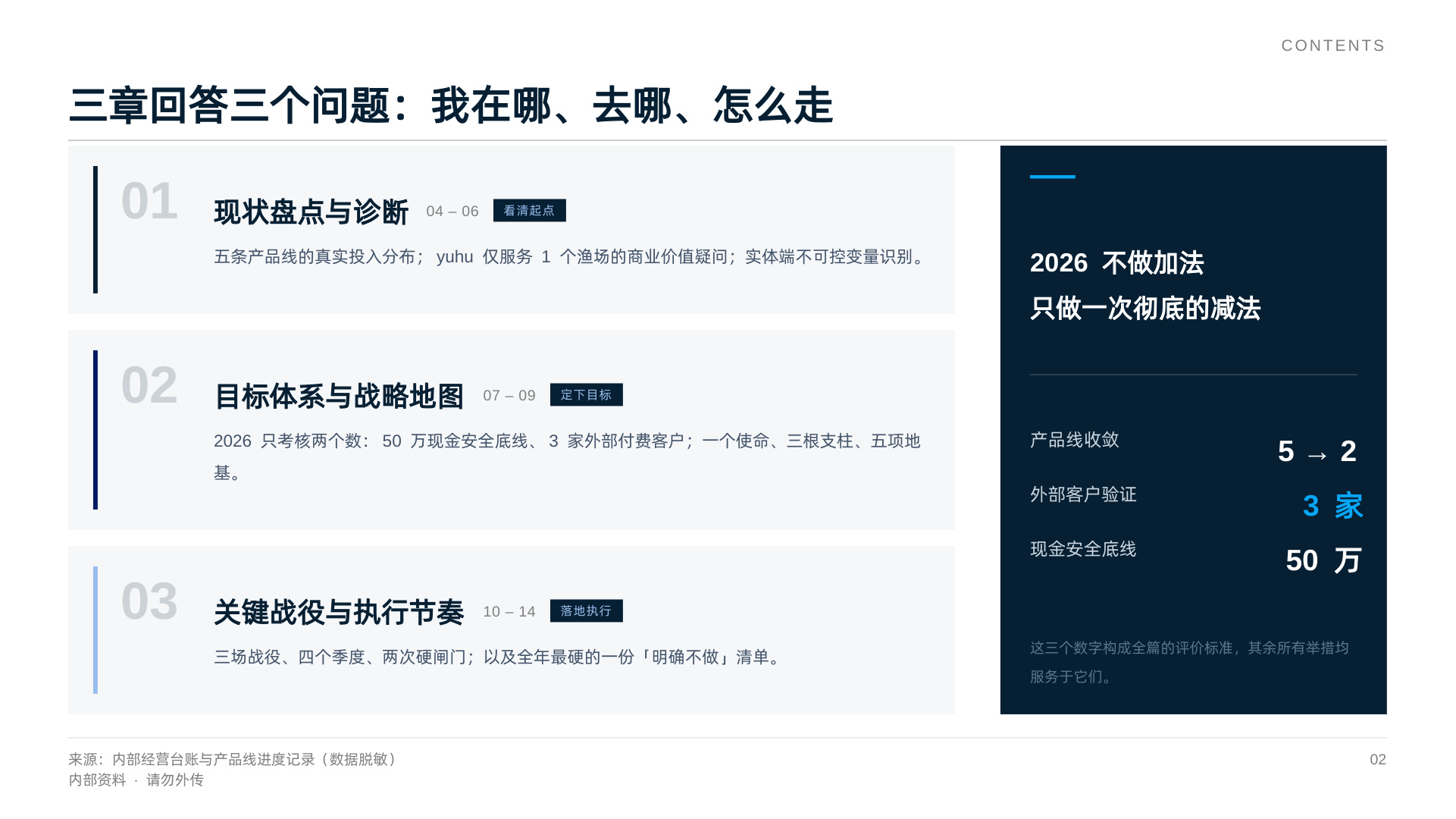
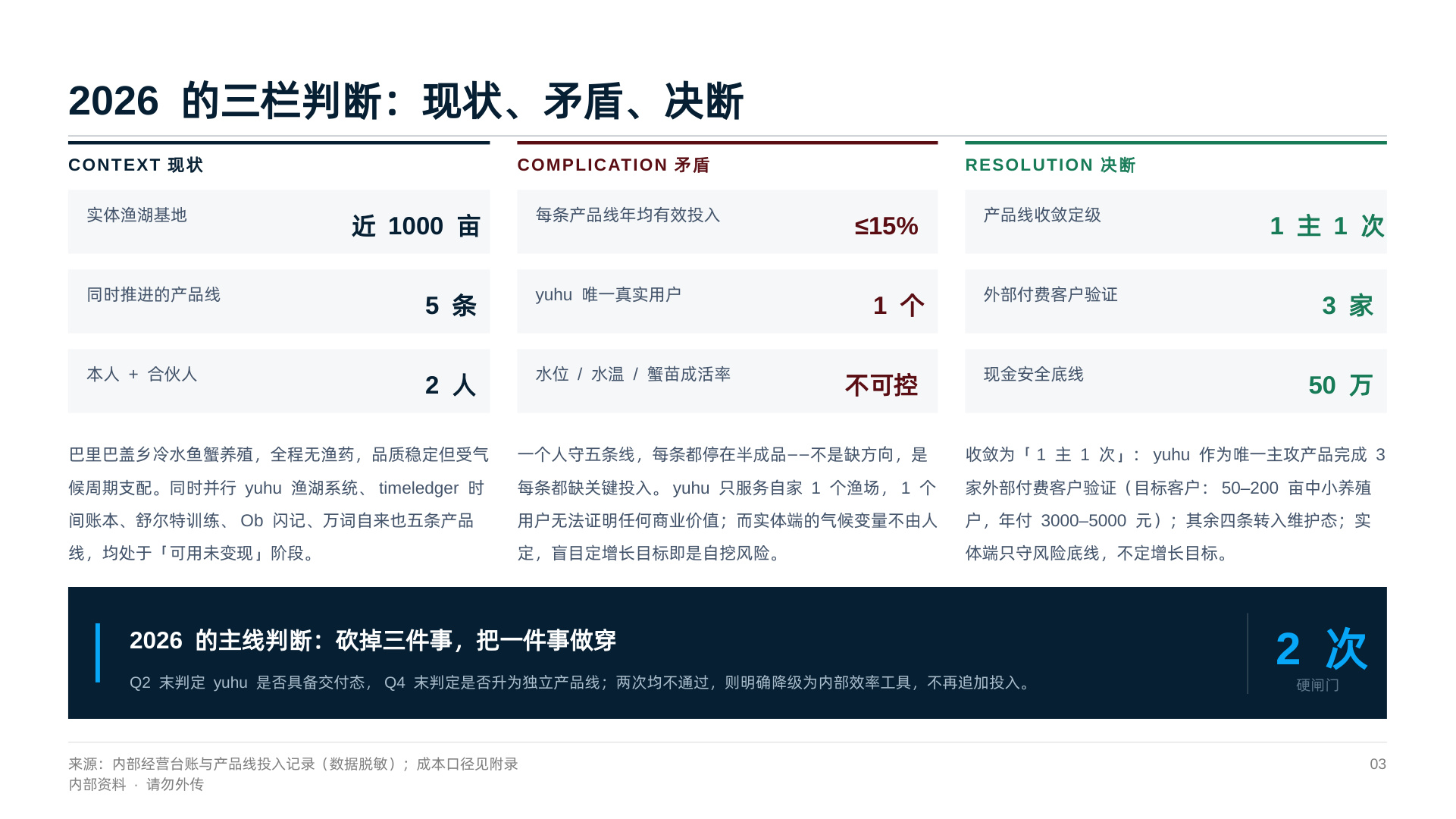
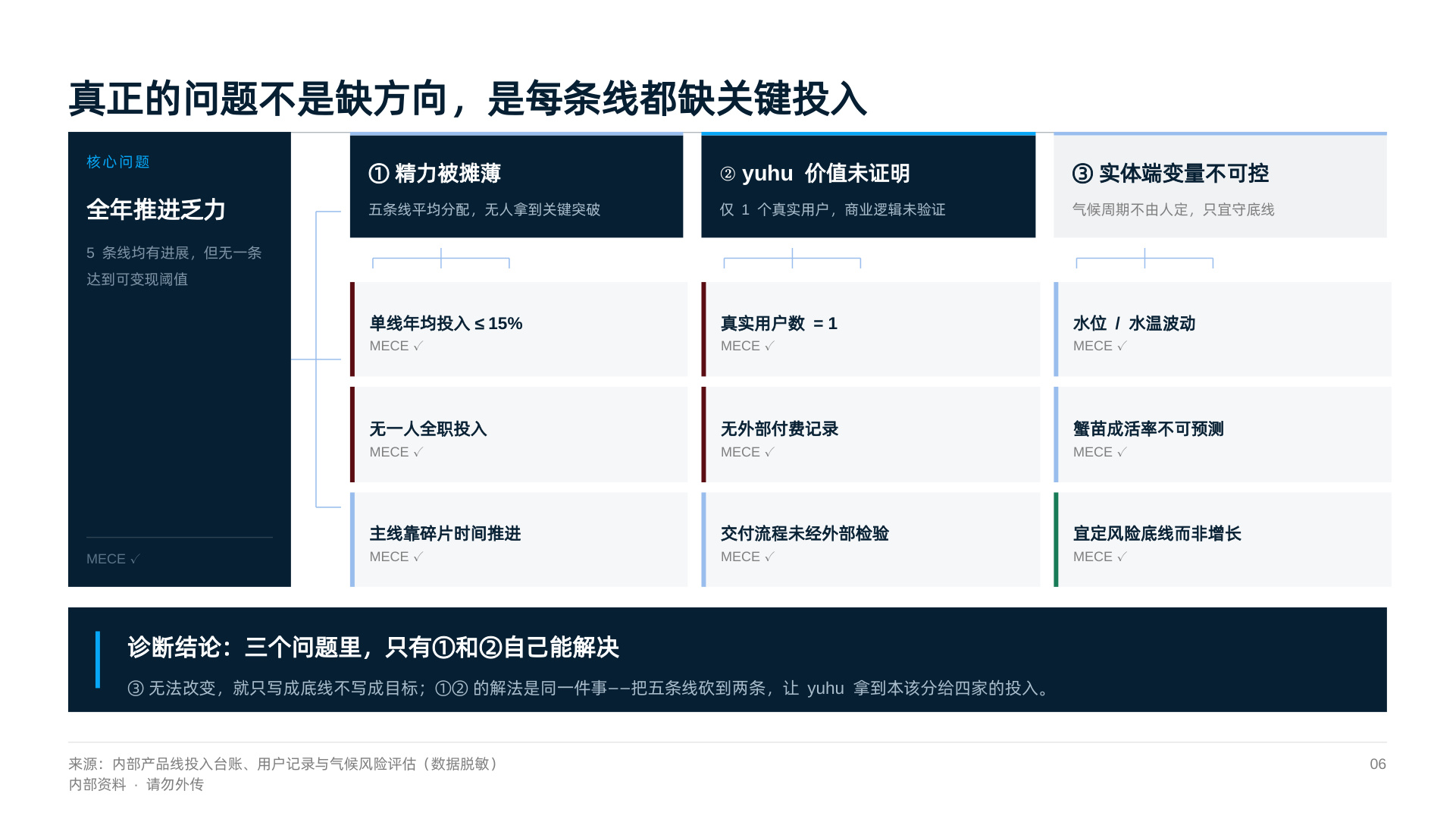
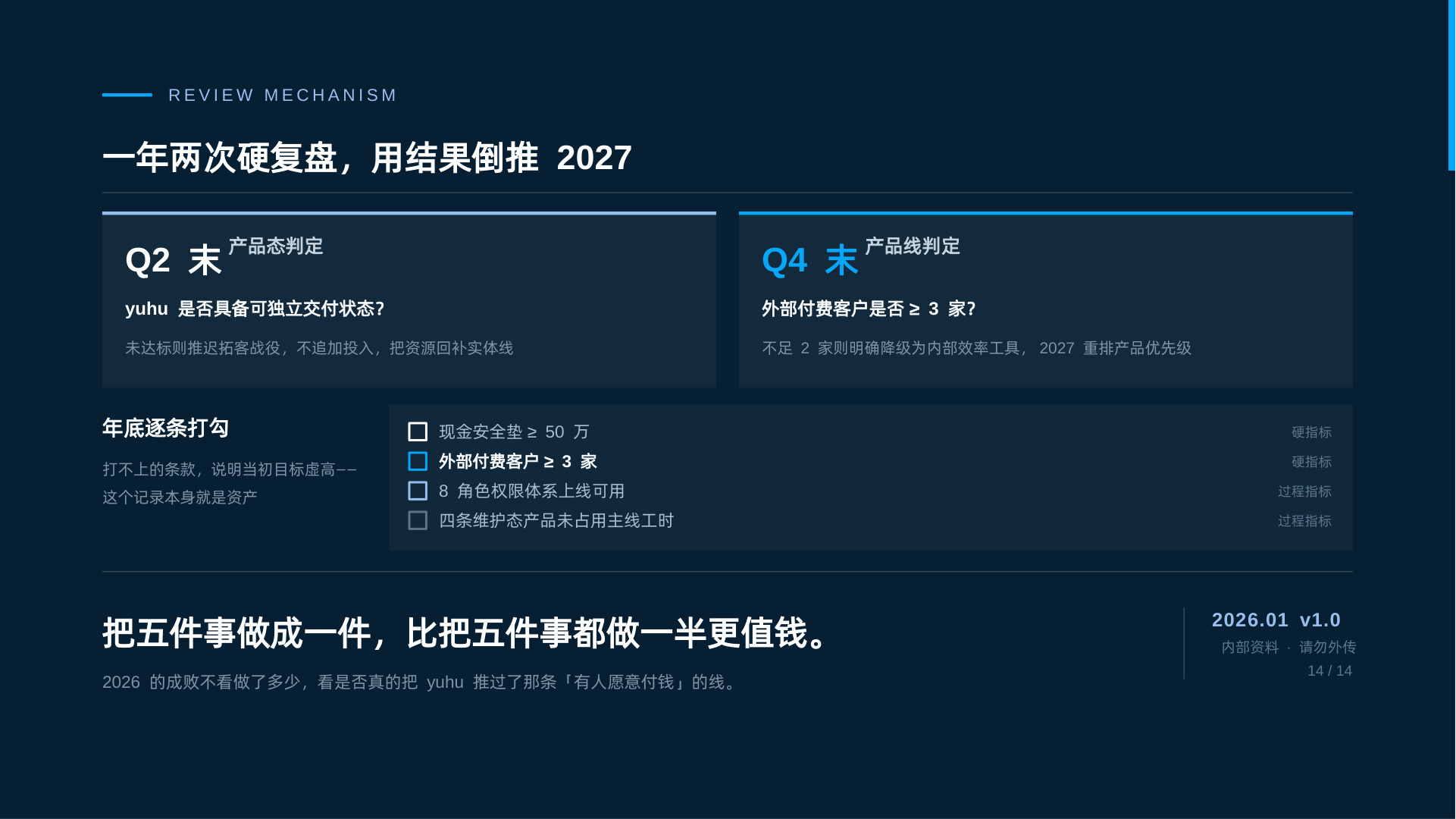
Opened it and Aubzhang's back went cold. This wasn't a layout tool at work. This was strategy consulting.
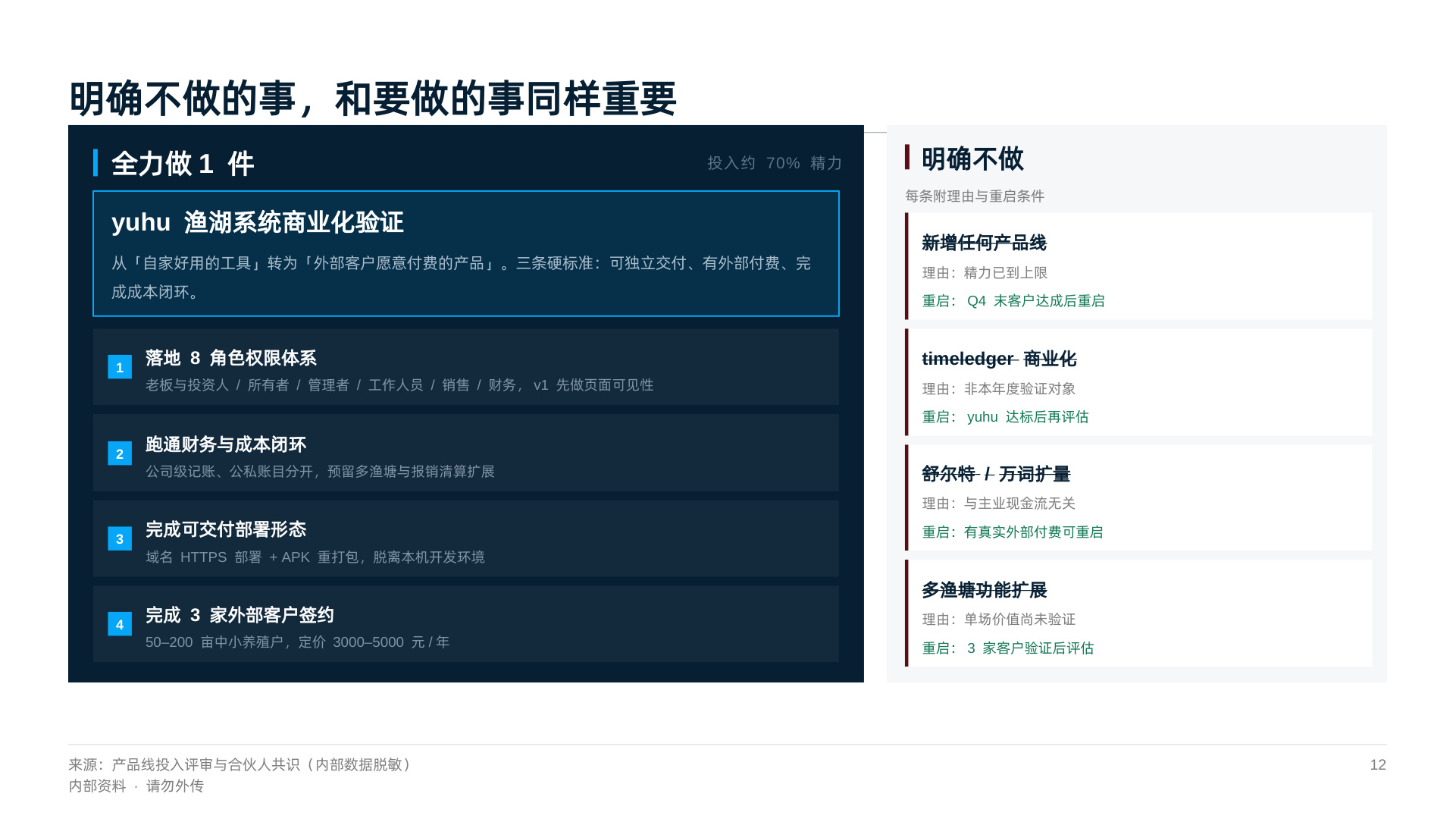
Take page 12 (the cut list). It chopped the messy business lines for him:
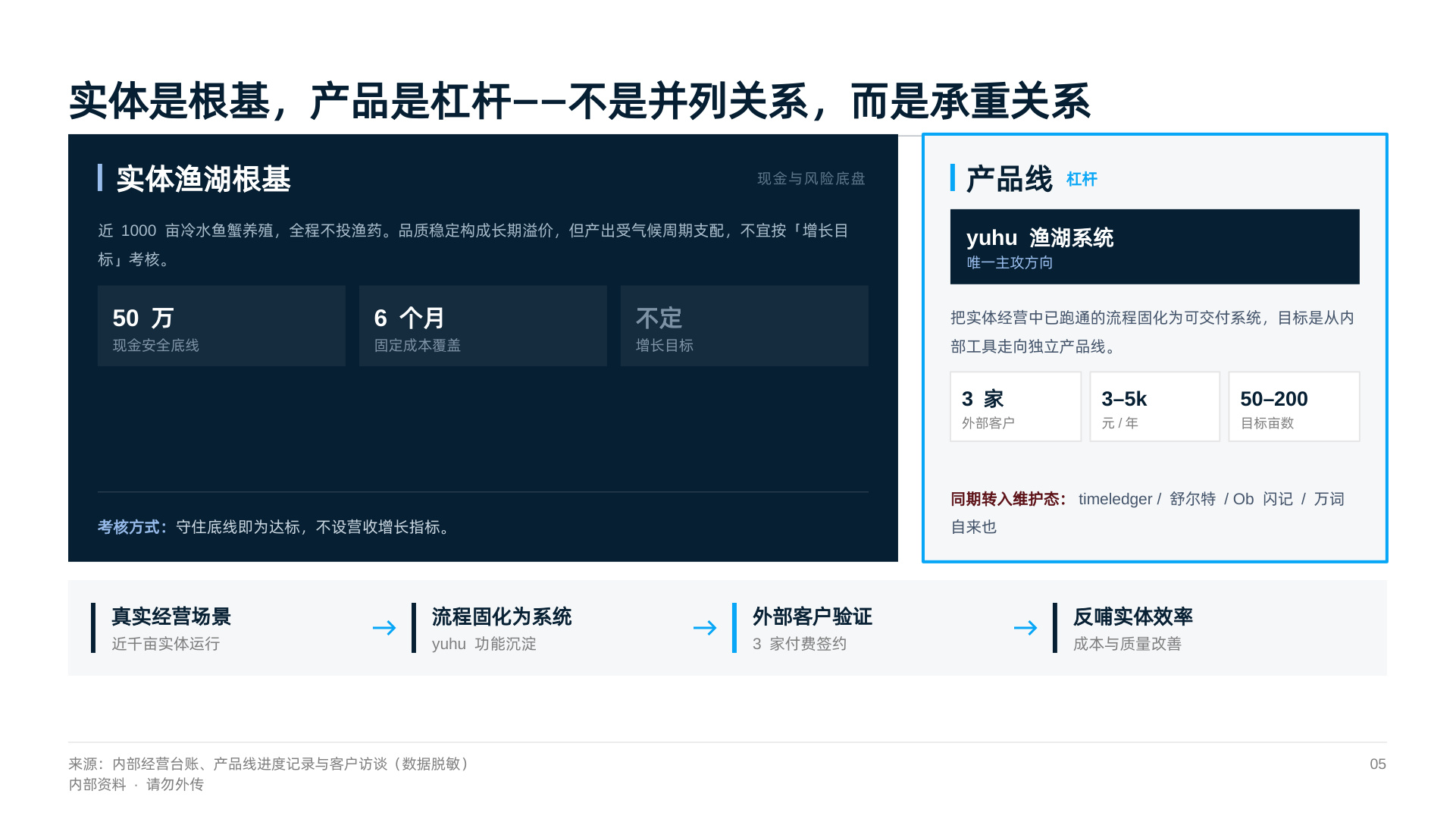
- No commercialization of timeledger (reason: not a validation target this year)
- No scaling of Schulte or the vocabulary app (reason: unrelated to core cash flow)
And every "don't do it" came with not just a reason but a restart condition. On page 3 it even wrote a line: "2026 is the year to cut three things and drive one thing all the way through."
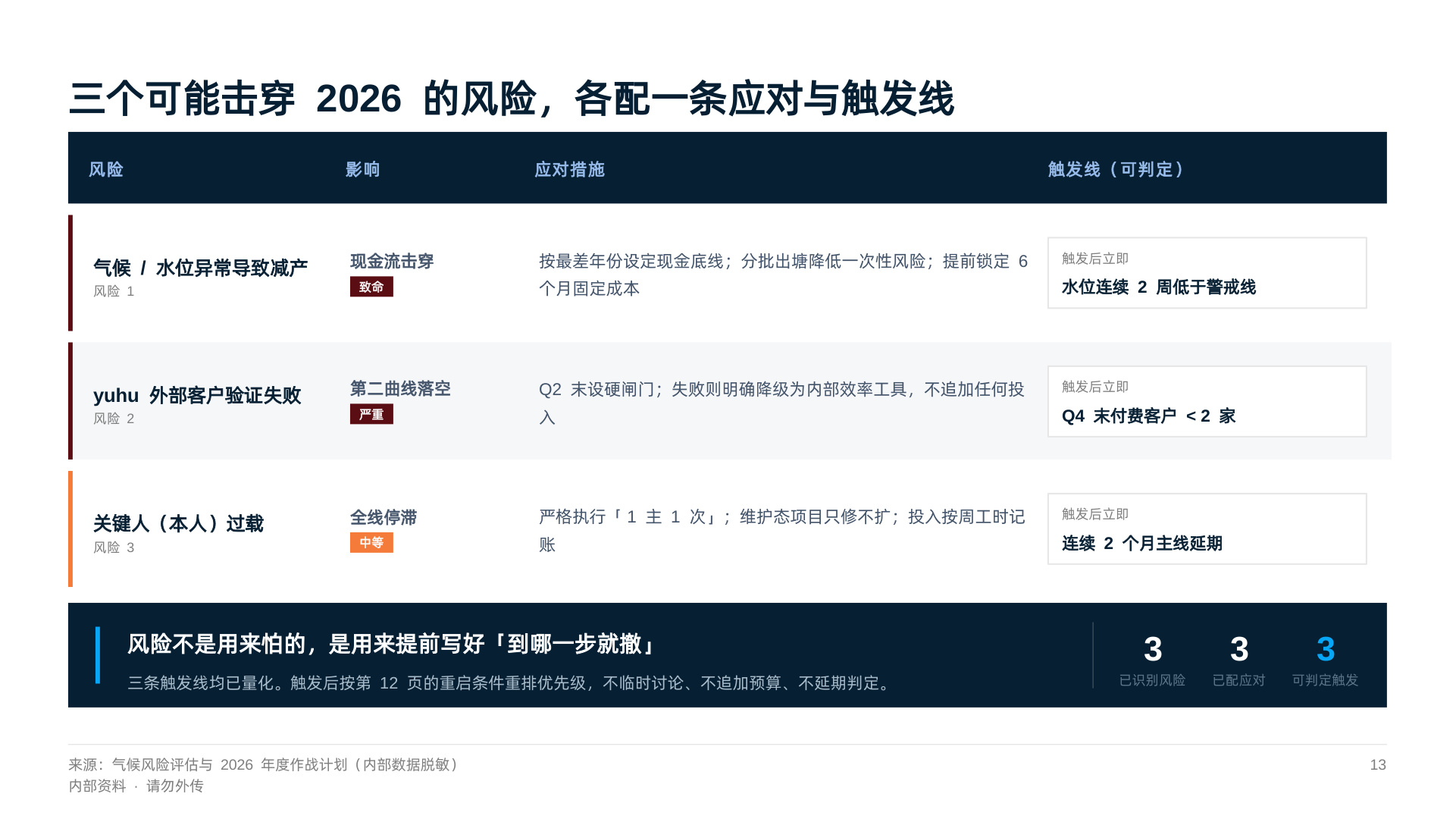
Then page 13 (the risk list). It put in the thing fish farmers fear most — "climate/water-level anomalies causing production cuts" — and gave not just countermeasures but a falsifiable trigger line: "water level below the warning line for two consecutive weeks."
A PPT with that kind of backbone — Aubzhang couldn't reliably buy it from a consulting firm, even paying.
4. Let's Do the Math: What Does a PPT Actually Cost?
Cost is what everyone cares about most.
WorkBuddy bills in credits. So how many did this 14-page business-grade PPT eat?
Answer: 55 credits.
And WorkBuddy gives you 100 free credits just for checking in each day. Which means the daily free allowance alone can produce at least one beautifully laid out, tightly reasoned PPT. For free.
Aubzhang switched to a premium model midway chasing perfection, so he burned a bit extra. Use free or low-multiplier models and the cost is basically noise.
Final Thoughts
After those 14 pages, Aubzhang's view changed completely.
We used to treat AI as a "drawing tool," forcing content into it. This time taught him something else: AI can push your layout to the limit and straighten out your logic — but the precondition is that you feed it the real business problem and your own values about what to cut.
AI is a ridiculously smart, tireless intern. The soul is still your brain.
Tomorrow, we raise the difficulty. Today we nailed layout. Tomorrow Aubzhang points AI at pure brainwork: a deep market research report. Let's see whether it has what it takes to be an industry analyst when buried in information.
See you tomorrow.
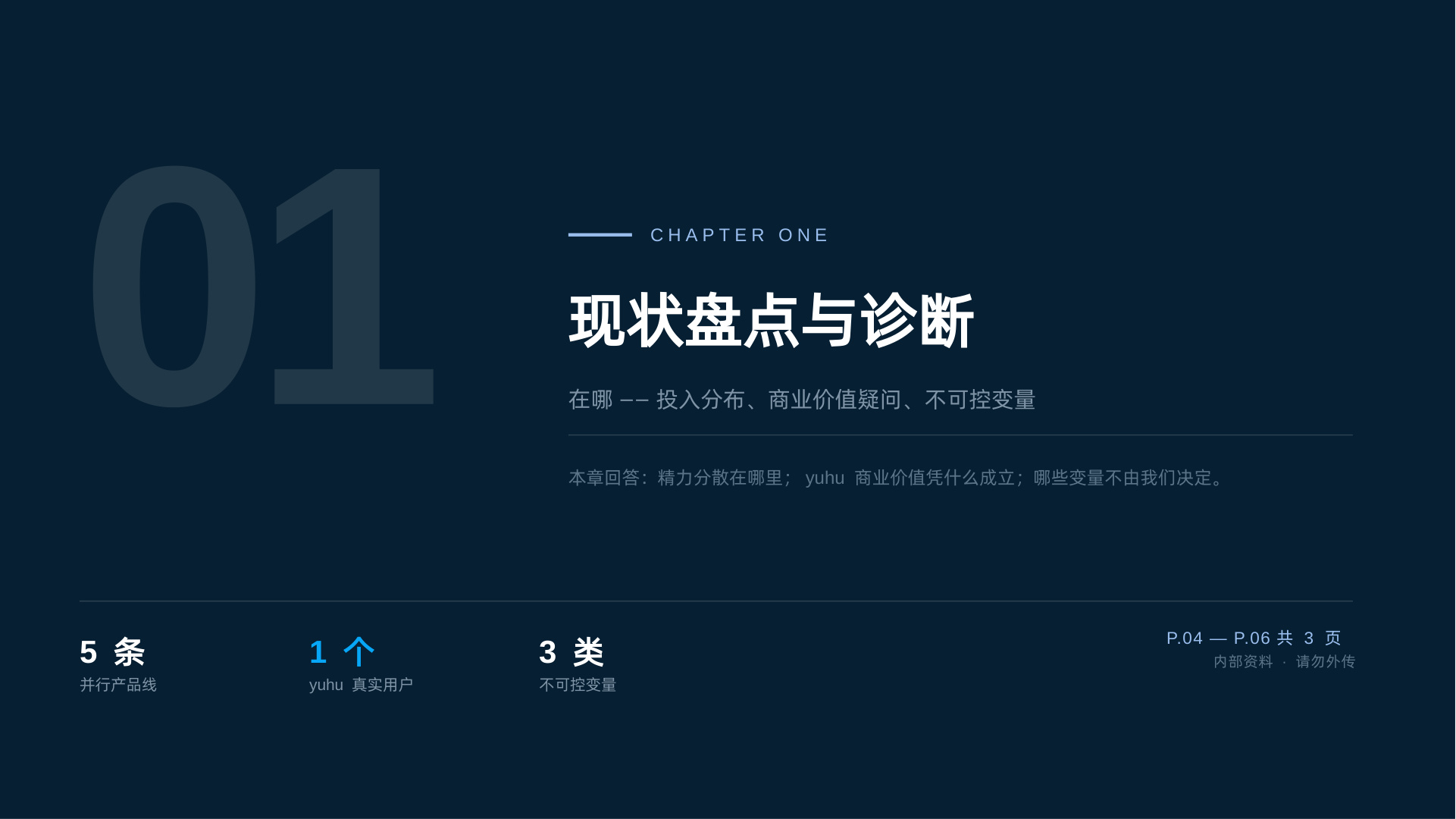
Appendix: the 14 slides, full resolution: