Previous episodes, Aubzhang took you through deep industry research and a business-grade PPT. Some friends messaged: "Sure, those are great, but I want to see something that runs right now and answers back."
Fair. Watching a page pop up on screen that you can click and interact with — that "I actually built this" feeling — no amount of ten-thousand-word reports can match.
Today, Aubzhang takes you through building a small web tool in 5 minutes with AI.
1. Building a Web Page, Then and Now
Used to be, if you wanted a web page, you had to learn HTML structure, CSS styling, animation code, then buy a server, sort out a domain. The barrier was a wall.
Now? If you can talk, AI can write the page.
To keep it beginner-friendly, we're not doing anything complex today. Aubzhang gets distracted easily lately, so today we throw together a minimal Pomodoro timer (web version).
Aubzhang typed this straight into the chat box:
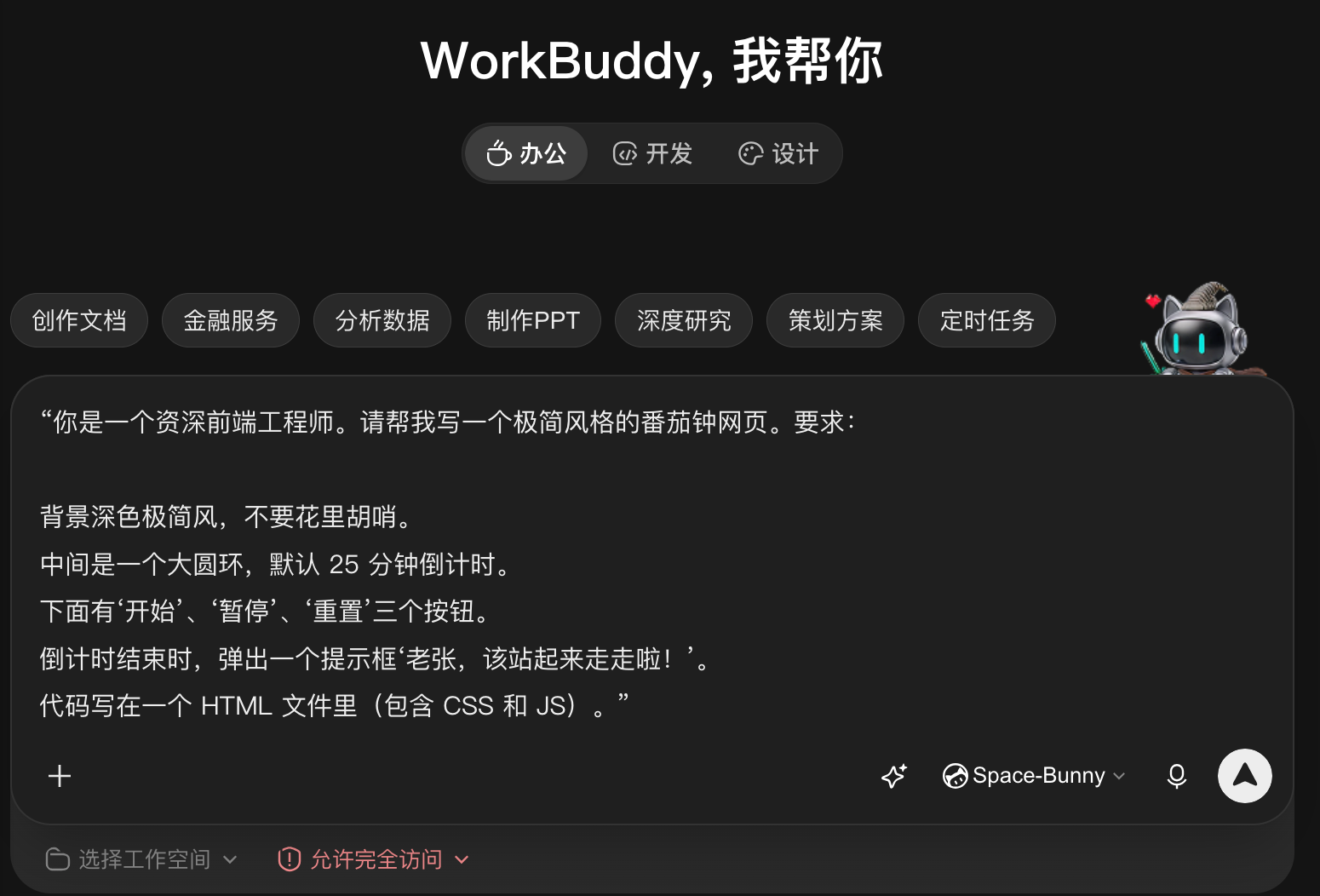
"You are a senior front-end engineer. Write me a minimal-style Pomodoro timer web page. Requirements:
1. Dark minimal background. Nothing flashy.
2. A large ring in the middle, default 25-minute countdown.
3. Three buttons below: Start, Pause, Reset.
4. When the countdown ends, show a dialog: 'Aubzhang, time to stand up and walk around!'
5. All code in one HTML file (CSS and JS included)."
2. Watch the Magic: How Code Becomes a Web Page
Enter pressed, and WorkBuddy generates an index.html file right in your workspace. It also has a live preview panel on the right — open it and there's your Pomodoro timer, big ring and all.
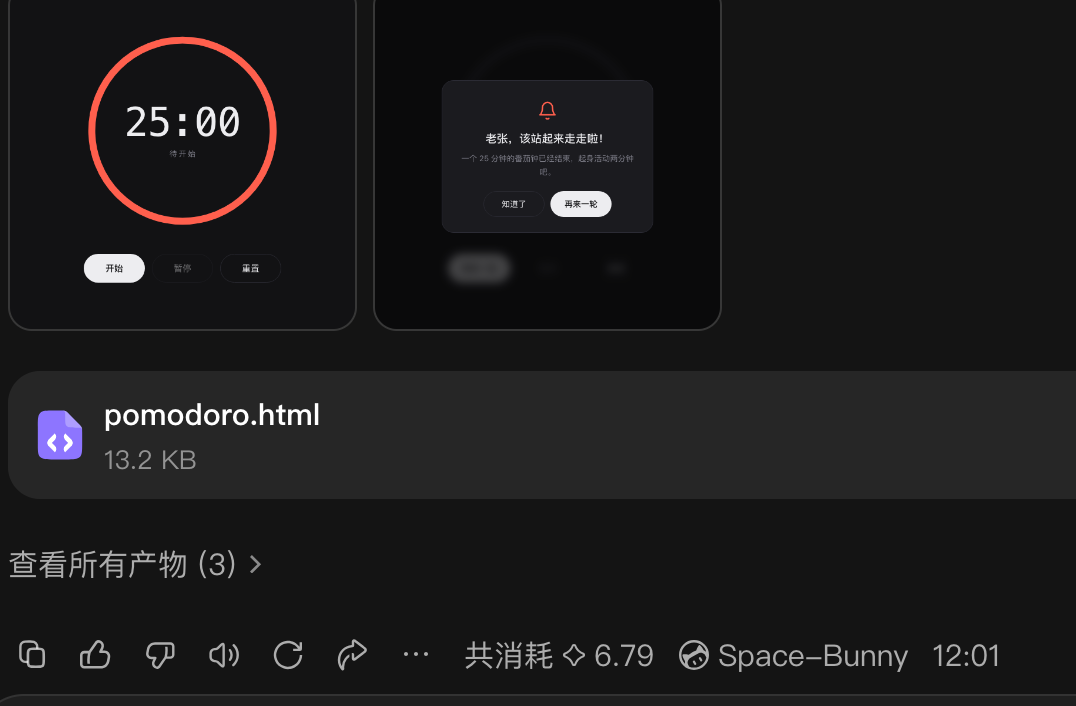
Looking at that page, Aubzhang was a little stunned. Dark minimal background, big red ring, even the button texture done properly.
But the real surprise: he'd only asked for the basics, and it quietly handled several deeply professional things backstage:
- It defends against time drift. No naive approach that browsers can throttle. It computes from timestamps, so even if you tab away to watch a movie and come back, the time is accurate.
- Live tab display. You don't have to stare at the page — the browser tab itself shows the countdown.
- Sound toggle. Bottom right, it thoughtfully added a "sound on" button.
To test it, Aubzhang tapped Start, Pause, Reset a few times. Instant response, zero lag.
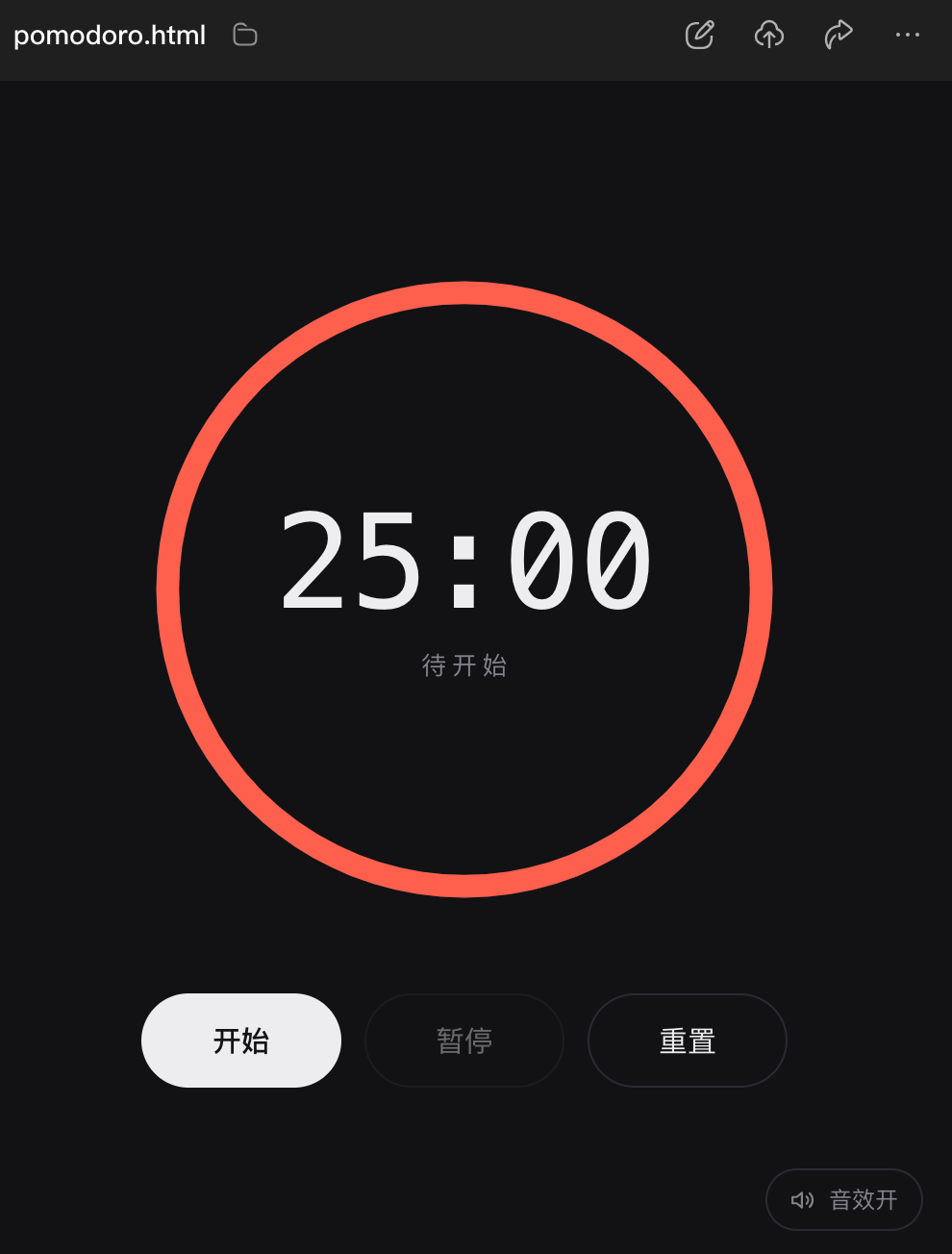
Aubzhang didn't have the patience to sit through 25 minutes, but looking at that clean, fully spec-compliant dark interface, he was convinced. We don't know code, but we know what interface we want. And now AI not only understood the requirement — it filled in the details with professional engineering.
3. Micro-Innovation: Add Something of Your Own
Interface looks good, but 25 minutes is rigid. What if Aubzhang wants a quick 5-minute countdown?
That's when you need micro-innovation thinking. No need to tear it down. Just type one more plain sentence into the chat:
"Add an input box below the ring so I can set the countdown minutes myself."
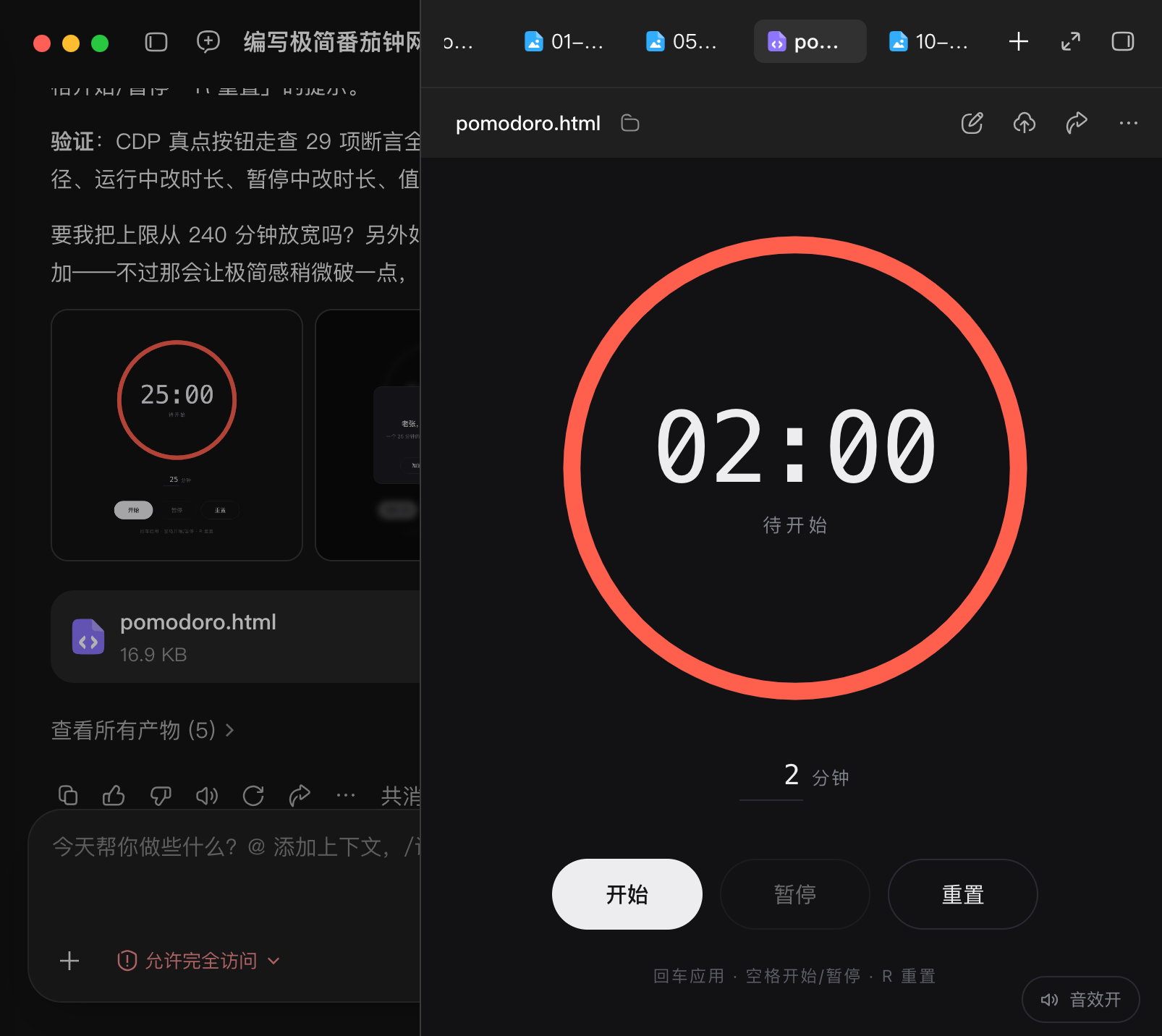
Honest note from Aubzhang: don't be fooled by how small that change sounds. AI reworked it, adjusted the layout repeatedly, and genuinely took ten minutes to get it running. It's not a god. It can't produce perfect results in a second. But if you state the requirement clearly, it will grind away without tiring until it's right.
See — micro-innovation doesn't require writing low-level code from scratch. You just add the detail you need on top of the frame AI built, even if that detail is tiny.
Looking at the red ring, Aubzhang felt it clashed with his "Aubzhang Blue" brand color. So he added one more line:
"Replace every red element on the page with Aubzhang Blue (hex #2f6feb). Keep the dark background."
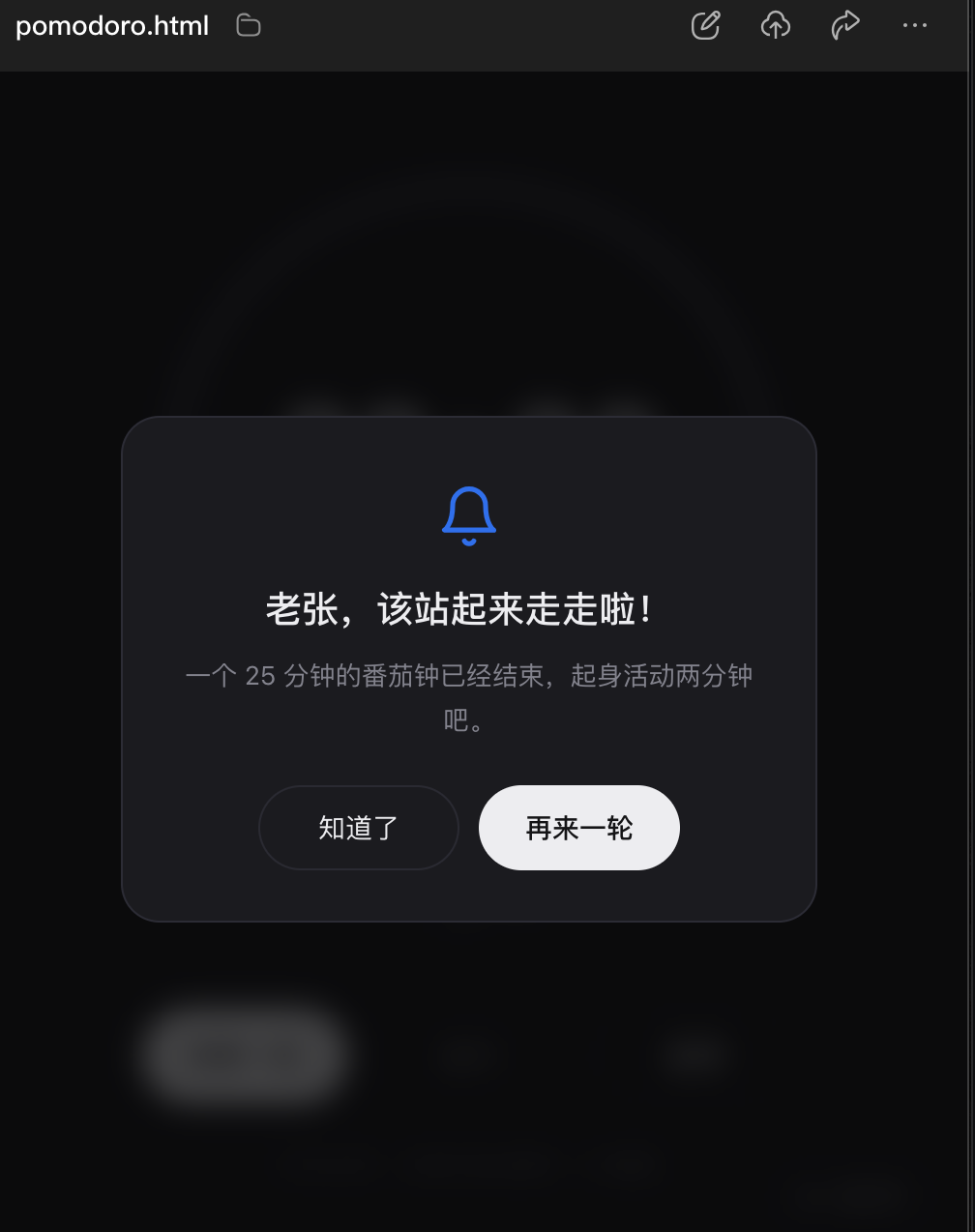
One second, reskin done. Looking at a Pomodoro timer in his own brand color, Aubzhang felt extremely comfortable.
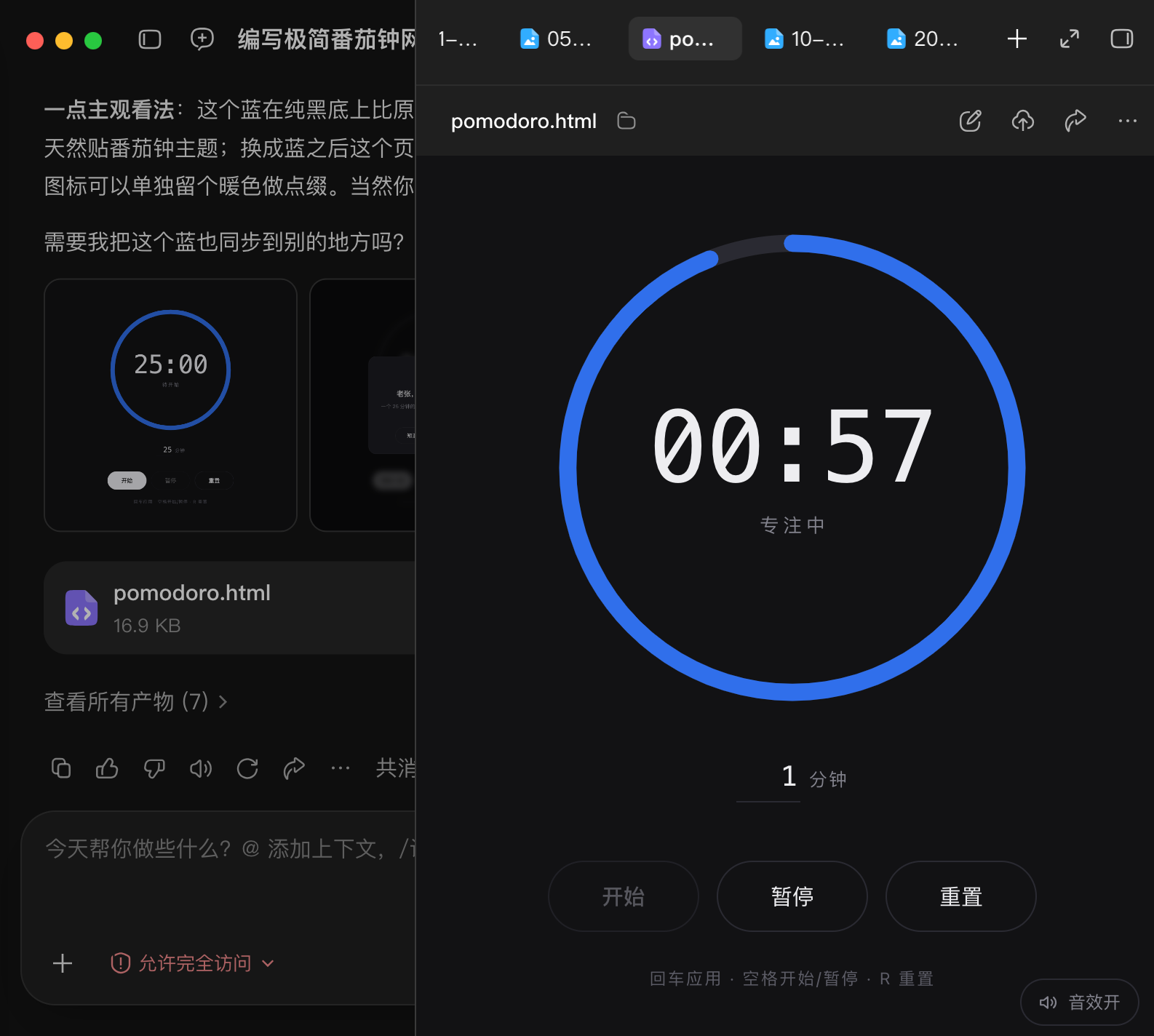
The blue bell and that line "Aubzhang, time to stand up and walk around!" — simple as it is, it feels like a small room he decorated with his own hands.
4. It's Built. How Do Friends See It?
Double-click the file locally and only you can see it. How do you send it to someone?
Simple, actually. If you already have your own domain like Aubzhang does (aubzhang.com), just upload the file to your hosting platform and your friends can reach it at aubzhang.com/tomato.html.
That's the best part of doing it yourself: your turf, your rules. Whatever tool you want to put there is your call.
Final Thoughts
Last, Aubzhang comes clean on the bill.
From the first prompt, to adding the input box, to the final reskin in Aubzhang Blue, including all the repeated debugging and testing — guess how many credits?
Answer: only 16 credits.
WorkBuddy gives 100 free credits for a daily check-in. Which means even if you develop at this level every single day, the free credits cover it. That cost doesn't even buy a cup of Luckin.
So don't mystify AI development. It's a tool in the hands of ordinary people. Try a few more times, spend a few more sentences, and you own a small tool that's completely yours.
Today was just practice with a small web tool. But it opens a door: if a web page can be built, can an app on your phone be built?
This Sunday, Aubzhang is taking you somewhere new. We'll build a phone-side ad-skipping tool with AI (something like Li Tiaotiao), and Aubzhang will publish every single prompt used in the build.
The web page was just the appetizer. Get your computer ready. Sunday we see real results.